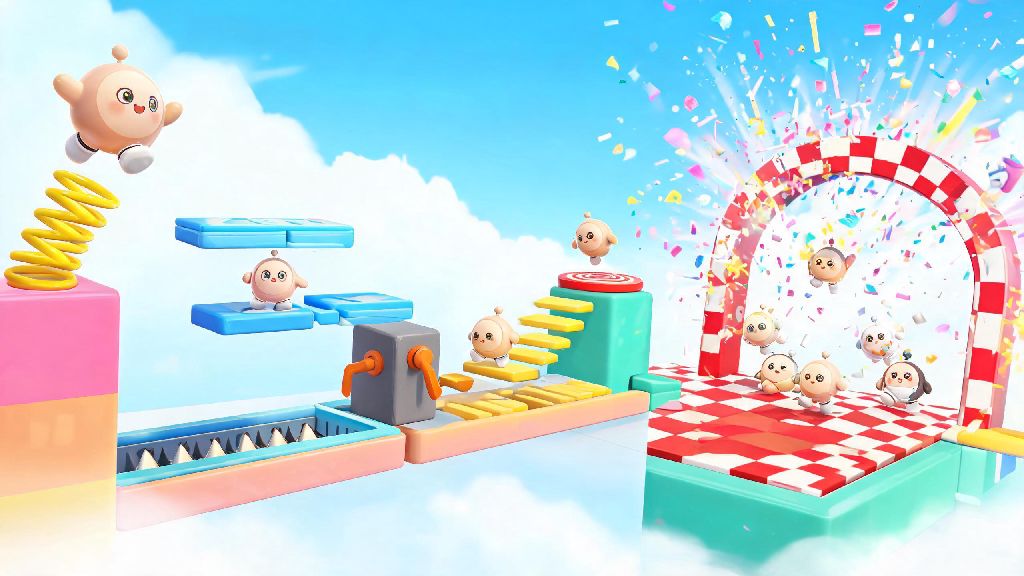
If you’ve ever played a viral Eggy Party custom map with unexpected spring launches, tricky hidden traps, or celebratory confetti blasts when you cross the finish line, you’ve already seen the power of well-placed workshop tools. A lot of new creators skip over the gadget menu entirely when they first start building, assuming the tools are too complicated for beginners. But using gadgets in Eggy Workshop is far more accessible than most people think, and even small additions can turn a basic platforming map into a fan favorite that gets thousands of plays. This guide will walk you through everything you need to know to pick, place, and combine gadgets to make your builds stand out, no prior creation experience required.
Key Gadget Categories for Using Gadgets in Eggy Workshop Effectively
You don’t need to use every single gadget available in the editor to make a great map. Most top-performing custom builds only use 2-3 core gadget types, chosen to fit the map’s theme and difficulty level. The four most useful categories to start with are movement, trap, reward, and cosmetic interactive gadgets.
Movement gadgets include springs, fans, moving platforms, and conveyor belts. These change how players move through your map, and they’re the easiest to start with if you’re new. For example, adding a slow conveyor belt to a jump sequence can add a small challenge without feeling unfair. Trap gadgets include spike strips, falling anvils, slippery ice patches, and timed explosion blocks. These add tension to your map, but you have to use them carefully to avoid frustrating players.
Reward gadgets include hidden coin crates, power-up spawners, secret door triggers, and collectible badge spawns. These give players extra incentives to explore off the main path, which makes your map feel more replayable. Cosmetic interactive gadgets include confetti cannons, sound effect triggers, and light switches. These don’t change gameplay, but they make your map feel more polished and memorable. Start with just 1-2 gadget categories for your first few builds so you don’t get overwhelmed trying to juggle too many tools at once.
How to Test and Tweak Gadget Placement for Smooth Gameplay
Even the best gadget idea will fall flat if it’s placed or timed wrong. I’ve seen so many new creators add a spring that launches players straight off the map, or a trap that triggers so fast no one can avoid it, even if they know it’s coming. The built-in test mode in Eggy Workshop is your most valuable tool here, and you should use it constantly as you build.
Play through your map at least 5 times as a regular player, not as the creator, to get a feel for how the gadgets land. You know exactly where every trap and secret is when you’re building, so you’ll avoid them naturally. That means you need to ask a friend or fellow creator to playtest your map too, to get feedback from someone who doesn’t know the layout.
Adjust gadget timing and position by 10-20% at a time instead of making huge changes, so you don’t accidentally break the flow of your map. If a gadget is causing more frustration than fun after multiple tweaks, it’s okay to cut it entirely. I once added a hidden spike trap right after a long jump that killed 90% of my playtesters, so I moved it to a side path where players only trigger it if they’re chasing a secret coin. It felt like a fun reward for exploring instead of a cheap punishment after that change.
Advanced Gadget Combinations to Make Your Maps Stand Out
Once you’re comfortable using single gadgets, combining them is where you can make builds that feel totally unique. The latest Eggy Workshop update lets you link up to 5 gadgets to a single trigger, so you can create all kinds of fun interactive moments without any complicated coding. Here are three of my go-to combinations that work for almost any map type:
You don’t have to stick to these combinations, of course. I recently tried linking a pressure plate to a moving platform, a sound effect trigger, and a coin spawner to make a secret room that unlocks when players step on a hidden tile, and it’s been the most talked about part of that map. Just don’t overdo it with too many combinations. Too many linked gadgets can make your map lag for players with older mobile devices, so stick to 2-3 combinations per map max.
Common Mistakes to Avoid When Using Gadgets in Eggy Workshop
Even experienced creators make missteps with gadgets sometimes, but there are a few common mistakes you can avoid to save yourself a lot of frustration. First, don’t overcrowd your map with gadgets. I’ve seen builds where every step has a trap or a spring, and players don’t get a single second of regular platforming to catch their breath. It feels overwhelming, and most people will quit halfway through instead of finishing. Leave at least 3-5 seconds of regular platforming between gadget interactions so players have time to reset.
Second, don’t forget to label your linked gadgets. When you link a pressure plate to a secret door, rename the plate and door in the editor menu so you don’t forget what connects to what when you come back to edit later. I once spent 20 minutes trying to figure out why a secret door wouldn’t open, just because I forgot which of 4 pressure plates I’d linked it to. Labeling takes 2 seconds per gadget, and it saves you hours of troubleshooting later.
Third, don’t ignore performance impacts. Gadgets with lots of particle effects, like large confetti cannons or multiple moving platforms, can make your map lag on lower-end devices. Test your map on a mobile device if you can, to make sure it runs smoothly for all players. If you notice lag, remove a few non-essential cosmetic gadgets first before touching gameplay ones. Prioritize smooth performance over fancy effects, because even the most creative build is no fun if it freezes mid-play.
At the end of the day, using gadgets in Eggy Workshop is all about having fun and making builds that players will remember. You don’t need to master every single gadget on your first try, and some of the best ideas come from happy accidents when you’re testing new combinations. Next time you open the workshop editor, try adding just one gadget you haven’t used before, and play around with placement and timing to see what works. You might be surprised at how much of a difference a single well-placed spring or confetti cannon can make to your build.