If you’ve ever sat down ready to queue for a silly Eggy Party round with friends only to get stuck on the loading screen or hit an error pop-up, you know how frustrating the Eggy Party login issue can be. I’ve run into this problem at least a dozen times myself, usually right when my group is waiting for me to join a custom map race. Most of the time, the fix is way simpler than you think, and you don’t need to be tech-savvy to sort it out in 5 minutes or less. This guide breaks down every common cause and solution, so you can stop staring at error messages and start rolling your egg through obstacle courses again.
What Causes the Eggy Party Login Issue Most Often?
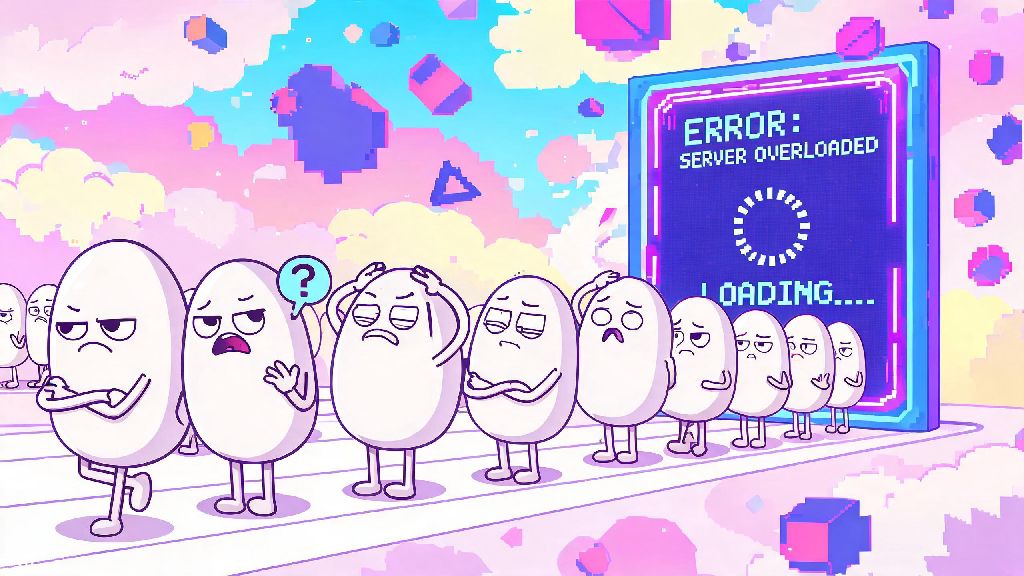
Before you jump into resetting your device or uninstalling the game, it helps to know what’s actually going wrong. Most login failures aren’t caused by a problem with your account, so you don’t have to panic about losing your skins or progress right away. Server outages are the single most common culprit, especially right after a new season drops or a popular limited-time mode goes live. Thousands of players try to log in at once, and the servers can get overloaded quickly.
Other common causes include outdated game versions, corrupted cache files on your device, unstable internet connections, or even minor permission issues if you’re playing on a newer phone or tablet. I once spent 10 minutes trying to log in before realizing I’d turned off mobile data for Eggy Party a week earlier to save data on a trip. Small, easy-to-miss issues cause more login problems than major bugs, in my experience. If servers are up and running, your internet is stable, and your credentials are correct, you can move on to fixes that target the root of the Eggy Party login issue.
Quick Pre-Checks to Run Before Advanced Troubleshooting
You can fix 70% of login problems with these 30-second checks, so don’t skip this section before you try more complicated fixes. I always run through these first whenever I hit a login wall, and 9 times out of 10, I’m back in the game in under a minute.
All of these checks take almost no time, and they save you from the hassle of uninstalling the game or resetting your account for no reason. If none of these work, you can move on to the slightly more targeted fixes below.
Step-by-Step Fixes for Persistent Login Errors
If the pre-checks didn’t resolve your problem, these targeted fixes will address almost every remaining cause of login failures. You don’t need any special tools for any of these steps, and they work for both iOS and Android mobile devices, plus PC emulators if you play on desktop. These steps work for every variation of the Eggy Party login issue, from blank loading screens to "authentication failed" pop-ups.
First, try clearing your Eggy Party cache. Corrupted cache files are one of the most common causes of repeated login errors, because the game is trying to load old, broken data instead of connecting fresh to the server. On mobile, you just go to your app settings, find Eggy Party, select storage, and tap clear cache. Don’t tap clear data, though, that will delete your local game files and you’ll have to re-download all maps and skins again.
Next, check if you have the latest version of the game installed. Outdated game versions lose support after a few weeks, especially after a season update, so you’ll get locked out of login until you update. I’ve seen a lot of players turn off auto-update to save storage, then forget to update manually when a new patch drops. Just head to the App Store or Google Play Store, search for Eggy Party, and tap update if the option is available.
If you’re using a third-party login, try logging out of that account on your device first, then logging back in before you open Eggy Party. Expired login tokens for Google, Facebook, or other linked accounts will block your game login even if your password is correct. That fix worked for me last month when I changed my Google account password and forgot to re-authenticate my game apps.
When to Contact Eggy Party Support for Help
Almost all login issues are fixed with the steps above, but there are rare cases where you’ll need to reach out to the official support team for help. You don’t want to waste time trying the same fixes over and over if the problem is tied to your specific account, so watch for these red flags.
You should reach out to support if you get a permanent account suspension or ban notice when you try to log in. If you don’t think you violated any terms of service, you can submit an appeal with your user ID and details of your account activity to get the issue reviewed. Make sure you have your original purchase receipts if you’ve spent money on the game, that speeds up the review process a lot.
Another sign you need support help is if you’ve tried every fix on this list and still can’t log in for more than 24 hours, and you’ve confirmed servers are working for other players. There might be a bug tied to your specific account or device that the dev team needs to patch on their end. Make sure you include your user ID, device model, and exact error message when you submit a ticket, that cuts down the response time by half in most cases.
Don’t share your password or two-factor authentication codes with anyone claiming to be support, though. Official Eggy Party staff will never ask for that information, so any request for those details is a scam. Stick to the official support form in the game or on the official website to stay safe.
At the end of the day, the Eggy Party login issue is almost never as serious as it looks when you first hit that error pop-up. Most of the time, a quick server check, internet reset, or cache clear will get you back into the game before your friends even finish picking their next map. If you do run into a more stubborn problem, take your time working through the steps above, and don’t hesitate to reach out to support if you need extra help. Now go hop into a round and roll your way to a win!