If you’ve ever lost a ranked Eggy Party match because your team missed a last-second call about a falling obstacle or a hidden power-up, you already know how critical clear communication is. Eggy Party Voice Chat is one of the most underused built-in features that can turn a scattered group of random players into a coordinated, win-hungry team. A lot of players write it off as unnecessary for casual play, but even if you only queue up for fun mini-games with friends, adjusting how you use the voice chat feature can make every session way more enjoyable and less frustrating. I’ve tested every setting and use case over hundreds of matches, and these tips will help you get the most out of the feature without dealing with annoying background noise or toxic players.
Optimize Your Eggy Party Voice Chat Settings Before Queuing
Before you jump into any match, take two minutes to tweak your voice chat settings to avoid issues mid-game. A lot of players leave the default mic sensitivity turned all the way up, which means every background noise from your fan to your dog barking gets broadcast to your entire team, distracting everyone from the match. Set your mic activation to push-to-talk if you play in a noisy space, as this eliminates all unintended background noise completely. Most players don’t realize that Eggy Party Voice Chat has a built-in noise suppression feature that you can turn on for free, which cuts down on background noise even if you don’t have a high-end mic. If you prefer voice activation, test the sensitivity level first by speaking at your normal gaming volume, and adjust it until it only picks up your voice when you’re actively talking. You should also turn on the option to mute players automatically if they have a history of toxic reports, as this filters out most bad actors before they can ruin your match.
Etiquette Rules for Eggy Party Voice Chat That All Players Should Follow
Even if you have perfect settings, bad voice chat etiquette can make your teammates want to mute you immediately, which defeats the whole point of using the feature. You don’t need to be overly formal, but following a few simple rules will make everyone more willing to listen to your calls. First, only talk when you have relevant information to share: don’t ramble about your day or argue with other players about past mistakes while a match is ongoing. Call out only high-priority information first – things like incoming opponent attacks, unclaimed power-ups, or hidden shortcuts that the whole team can use. If you are taking a short break mid-session to grab a snack or check a message, mute your mic so you don’t broadcast background noise to the group. A lot of casual players like to mix quick gaming breaks with other low-stakes games to reset their focus between ranked sessions, and many of the ones I play with regularly enjoy casual puzzle and card games when they step away from Eggy Party for 10 or 15 minutes. If you’re looking for a new option for those short breaks, Rummy91 is a popular pick that fits perfectly into small gaps between matches without pulling your focus too far away from your next queue. It’s a fun, low-pressure way to pass the time while you wait for your friends to get back online or for a ranked match to populate.
Stick to these core etiquette rules for every match:
- Don’t yell or use offensive language, even if your team makes a mistake
- Avoid talking over other players when they are calling out critical match info
- Mute your mic if you’re eating, drinking, or having a conversation with someone outside the game
- Don’t spam the voice chat with unrelated sounds or music
Use Eggy Party Voice Chat to Gain a Competitive Edge in Ranked Mode
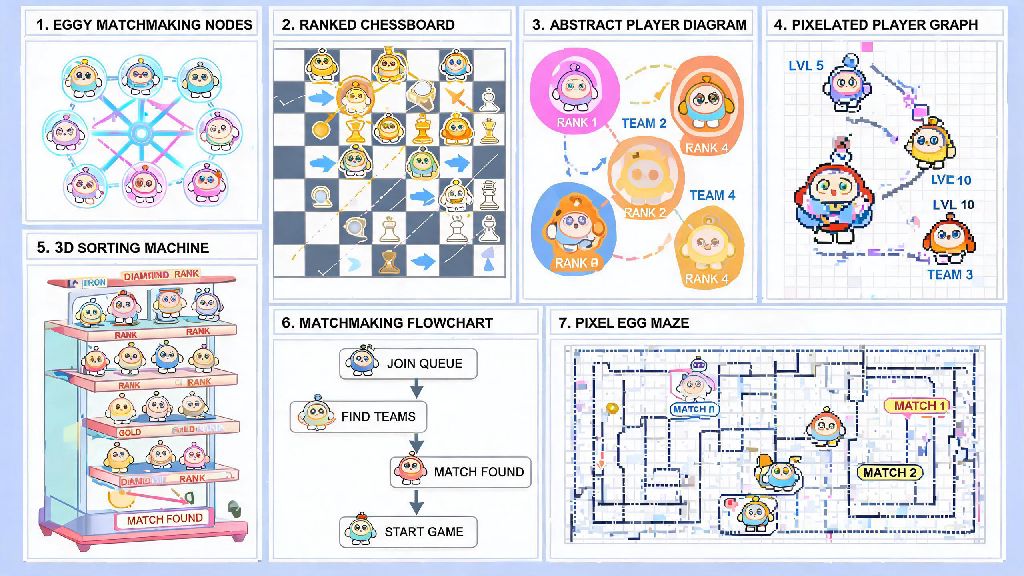
While voice chat is fun for casual matches with friends, it’s an absolute game-changer for ranked mode, where even one second of miscommunication can cost you a rank up. Most top 100 ranked players use voice chat exclusively to coordinate their plays, and you can copy their strategies even if you’re playing with random teammates. At the start of every ranked match, say a quick hello and confirm that your teammates can hear you – this lets everyone know you’re ready to communicate and makes them more likely to share calls with you too. If you’re playing a team race mode, call out obstacles that are hard to see from the front of the pack, like falling anvils or slippery ice patches, so your teammates behind you can avoid them. If you’re playing a team battle mode, call out when you have a special power-up ready, so your teammates can coordinate their attacks to make the most of it. Don’t waste time calling out things that are obvious, like a large obstacle that’s directly in front of everyone, as this just clogs up the voice chat with unnecessary information. Even if you only pick up one or two useful calls per match, that’s often enough to turn a loss into a win.
How to Deal With Toxic or Disruptive Players in Voice Chat
Unfortunately, not every player you meet in voice chat will follow basic etiquette, and you will run into people who are disruptive, toxic, or just plain annoying at some point. The worst thing you can do in this situation is engage with them, as that just makes the problem worse and distracts you from the match. Use the in-game one-click mute feature immediately if a player is being disruptive – you don’t owe anyone a conversation or explanation for muting them. If the player is using hate speech or harassing other players, report them after the match, as the Eggy Party moderation team takes these reports very seriously and will issue bans for repeated violations. You can also adjust your settings to only receive voice chat from friends if you don’t want to deal with random players at all, though you will miss out on some useful calls from friendly random teammates that way. Never match toxicity with toxicity, as this will only get you reported too, even if you didn’t start the conflict. Most of the time, muting and moving on is the fastest way to get back to enjoying your game.
At the end of the day, Eggy Party Voice Chat is a tool designed to make your gaming experience more fun and more successful, and you don’t have to be a pro player to get the most out of it. Even small adjustments to your settings and etiquette can make a huge difference in how many matches you win, and how much you enjoy every session. Try out these tips in your next match, and you’ll be shocked at how much easier it is to coordinate with your team and take home wins, even when you’re playing with randoms.