If you’ve spent any time scrolling Eggy Party’s custom game feed in 2026, you’ve probably seen wild, creative maps that make you wonder how regular players pulled them off. The secret behind nearly all of those viral custom experiences is the Eggy Party map editor, a surprisingly user-friendly tool built right into the game that lets you turn even your silliest level ideas into playable maps for players around the world. You don’t need to be a professional game designer to make something people love, either—most of the highest-rated custom maps right now are made by casual players who spent an hour or two tinkering with the tool in their free time.
Key 2026 Eggy Party Map Editor Features You Might Have Missed
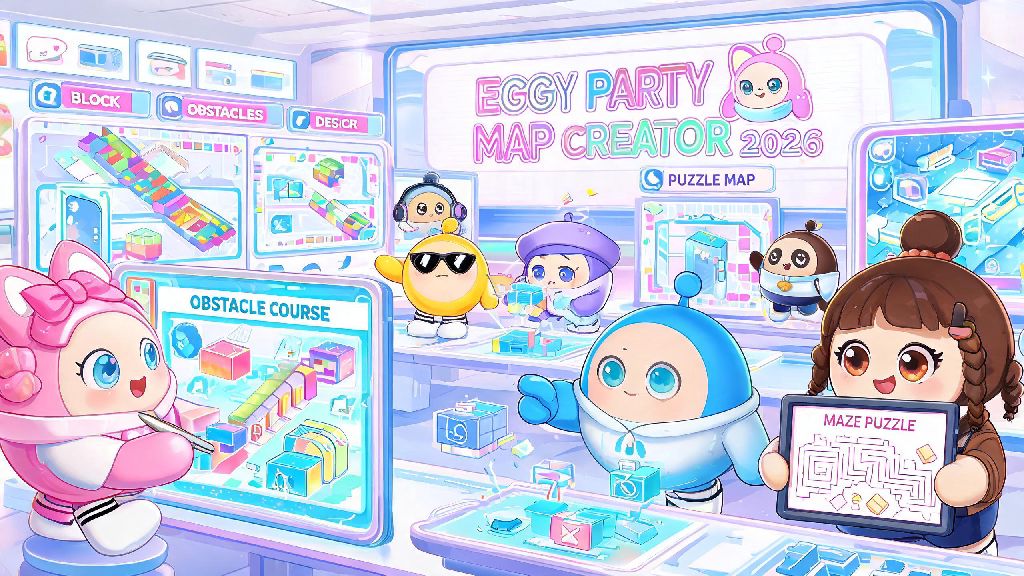
The 2026 update to the map editor rolled out dozens of small quality of life features that most casual users haven’t found yet, even though they cut down design time by almost 60% according to official Eggy Party user data. A lot of players stick to the basic block and obstacle tools when they first start, but exploring the hidden tabs on the left-hand menu will open up way more creative options. For example, adjustable physics sliders let you tweak how slippery or bouncy any surface is, so you can make an ice-themed race map where players slide across every turn, or a trampoline park map that sends people flying 10x higher than normal. The 2026 update also added a community asset library, where you can import pre-made objects from other popular map creators for free, instead of building every decoration from scratch. If you’re stuck for ideas, browsing that library is a great way to get inspired without copying someone else’s full map design.
You’ll also find new tools like real-time collaborative editing, which lets you invite up to 3 friends to work on a map at the same time, no more sending screenshot updates back and forth. There are also 12 new dynamic weather and lighting presets, from neon cyberpunk rain to sunny carnival glow, that you can apply in one click to set the mood of your map without manual adjustment.
Step-by-Step Beginner Workflow for Your First Eggy Party Map Editor Build
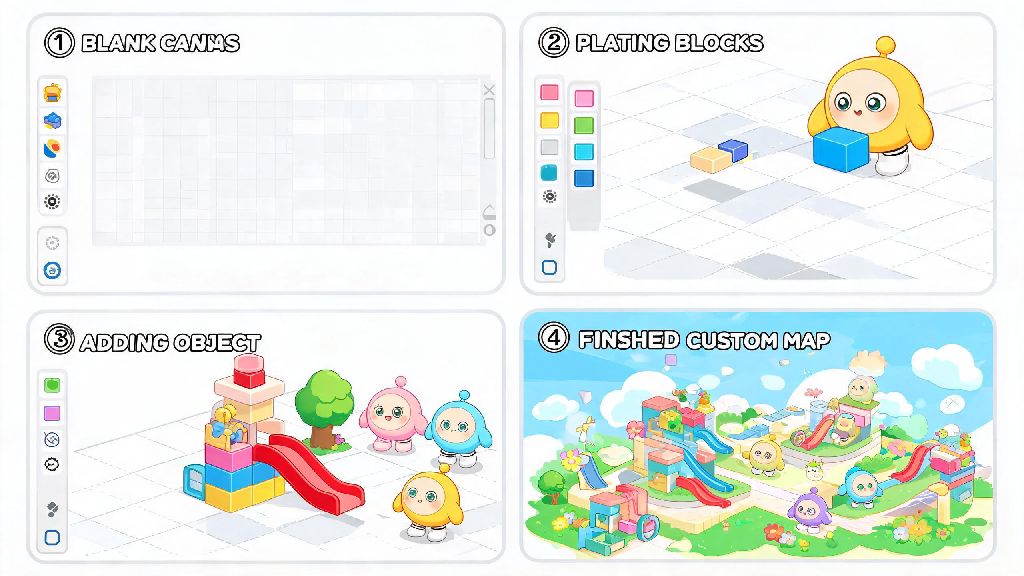
You don’t have to start with a huge, complex map to get started. In fact, the best first maps are simple, focused experiences that take 30 minutes or less to build, so you can learn the tool without getting overwhelmed. Here’s the exact workflow I use for testing new map ideas fast:
So many new creators get stuck trying to make their first map perfect, but it’s way better to publish 3 simple, fun maps than to spend 10 hours on one overly complex map that no one ends up playing. You can always edit and update your map after publishing, so if players mention a part is too hard or a bug keeps popping up, you can fix it in 5 minutes and push the update to everyone who has already saved your map.
Common Mistakes to Avoid With the Eggy Party Map Editor in 2026
Even experienced creators make simple mistakes that stop their maps from getting the traction they deserve, and many of these mistakes are super easy to fix once you know what to look for. One of the most common errors I see is making maps too long or too difficult for casual players. Remember that 70% of Eggy Party players play for 15 minutes or less per session, so maps that take more than 5 minutes to complete get way fewer completions and shares than shorter, more accessible ones.
Another big mistake is ignoring the community content rules, which got a small update in 2026 to clarify what’s allowed in public maps. If you’re not sure what counts as appropriate, you can check the official 2026 Eggy Workshop content guidelines to make sure your map won’t get taken down accidentally. Don’t use copyrighted music or branded assets you don’t have permission to use – that’s the number one reason popular maps get removed from the public feed, even if they have hundreds of thousands of plays. You should also make sure you add clear instructions for your map right at the start, either with a floating text sign or a short pop-up when players spawn. If people don’t know what they’re supposed to do within the first 10 seconds of loading your map, most of them will just leave and play something else.
How to Get Your Custom Maps Featured on the 2026 Eggy Party Front Page
Making a fun map is only half the battle if you want other people to play it. The good news is that the 2026 algorithm for showcasing custom maps prioritizes new creators just as much as popular ones, so you don’t need a big following to get your work in front of thousands of players. First, make sure you fill out all the metadata when you publish your map: add a clear, catchy title, a short description that tells players what to expect, and relevant tags so people searching for specific map types can find yours. Adding a 10-second preview clip of your map doubles your chances of getting picked for the front page, according to official Eggy Party data, so don’t skip that step even if you think it’s not important.
You should also share your map on Eggy Party’s official Discord server or relevant Reddit communities once you publish it. Even 10 or 20 initial plays and positive ratings will tell the algorithm that your map is worth pushing to more people. Don’t get discouraged if your first few maps don’t get a lot of plays, either. Most popular creators made 10 or more maps before they got their first featured spot, and every map you make teaches you new tricks to make the next one better. Weekly workshop challenges are the fastest way to get your work in front of the official curation team, so even if you don’t win, you’ll get way more eyes on your work than you would publishing a random map on a regular day.
At the end of the day, the Eggy Party map editor is designed to be fun first, so don’t stress too much about making every map perfect. Even the silliest, most chaotic maps can end up going viral if they’re fun to play with friends, and you’ll get better with every build you try. If you haven’t opened the editor yet, 2026 is the perfect time to start: the new features make it easier than ever to bring your ideas to life, and the community is always excited to try new creations from first-time builders. Grab some friends, pick a silly idea, and start tinkering—you might end up making the next viral map that everyone is talking about.