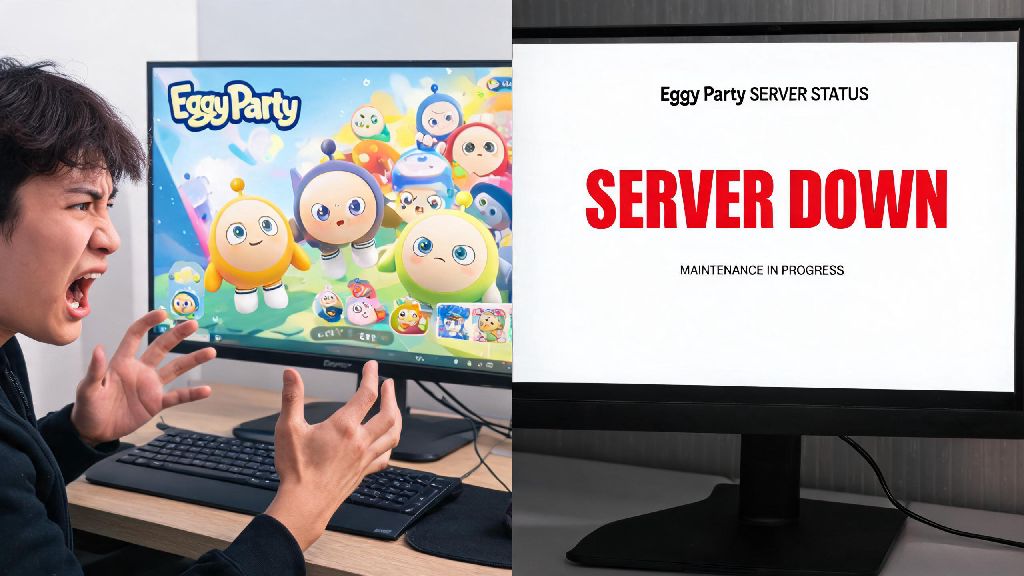
If you’ve ever sat down to play a quick round of Eggy Party with friends only to get stuck on the loading screen, or get booted mid-minigame right as you’re about to take first place, you know how frustrating it is to not know what’s causing the problem. The first thing you should check in these situations is Eggy Party Server Status, because server outages or maintenance periods are far more common than most players realize. I’ve lost count of how many times I’ve restarted my router, uninstalled and reinstalled the game, and even reset my phone before realizing the devs just rolled out a surprise patch that took servers offline for an hour. This guide will walk you through everything you need to know to stop wasting time troubleshooting your own setup when the problem isn’t on your end.
How to Check Eggy Party Server Status in 30 Seconds or Less
You don’t need fancy tools or technical knowledge to confirm if Eggy Party servers are down. The fastest, most reliable sources are run directly by the game’s development team, so you never have to worry about outdated or incorrect information. First, check the official Eggy Party social media accounts on X (formerly Twitter) and Instagram. The devs post scheduled maintenance reminders at least 24 hours in advance almost every time, and they post live updates if unexpected outages happen mid-season. Next, you can check the in-game notification board that pops up when you first launch the app. If servers are going down soon, there will be a bright red banner at the top of the board with exact timelines for when they’ll be back online. There are also third-party server status tracking sites that aggregate user reports, but I always cross-reference those with official sources first, since users sometimes report connection issues that are actually just their own bad Wi-Fi.
If half the player base is reporting login errors and the devs have posted a confirmation, you can be sure the issue is on their end, not yours. If no one else is reporting problems, you can move on to troubleshooting your own connection or game files.
Common Signs the Problem Is Not Eggy Party Server Status
Just because you can’t log in or you’re getting booted mid-game doesn’t automatically mean the servers are down. There are a handful of super common issues that players mix up with server outages all the time, and fixing them takes less than a minute in most cases. First, if you’re playing on mobile and you’re on a public Wi-Fi network, a lot of public networks block gaming traffic to save bandwidth. I ran into this last month at a coffee shop, I spent 10 minutes thinking servers were down until I switched to my mobile data and logged in instantly. Another common issue is outdated game files. If you haven’t updated Eggy Party in more than a week, old versions can fail to connect to updated servers even if the servers are running perfectly. The easiest way to rule this out is to open your app store, search for Eggy Party, and see if there’s an update button visible.
If you only run into lag or disconnections when you’re playing with friends who live in a different region, that’s also not a server issue. That’s a cross-region ping problem, and you can fix it by switching to a server that’s closer to all members of your group, or using a gaming VPN if you really want to play together across regions. You should never reset your device or uninstall the game before you rule out these small, easy-to-fix issues first. Uninstalling will not fix a server outage, and you’ll waste time re-downloading all the game files for no reason.
What to Do When Eggy Party Servers Are Confirmed Down
If you’ve checked all official sources and confirmed Eggy Party servers are offline for maintenance or an unexpected outage, there’s no point spamming the login button over and over. Most scheduled maintenance windows last between 30 minutes and 2 hours, and unexpected outages are usually fixed within 45 minutes if they’re not tied to a big update. First, check the official update post to see if there’s an estimated time for when servers will be back up. If there is, set a reminder on your phone so you don’t waste time checking back every two minutes.
If the outage is unexpected and there’s no ETA, you can use that time to do small in-game adjacent tasks that don’t require a server connection. For example, you can draft custom map designs in the Eggy Workshop offline, or browse new skin concepts that other players have shared on social media. I also use server downtime as an excuse to catch up on season challenge requirements I’ve been putting off, like watching gameplay clips to learn new shortcuts for my favorite minigames. Never download third-party “server fix” tools that pop up in ads or community forums when servers are down. These are almost always malware, and they can steal your account information or install viruses on your device. There is no way for a third-party tool to fix an official server outage, so any tool claiming to do so is a scam.
How to Avoid Missing Scheduled Server Maintenance Alerts
Most server-related frustration comes from being caught off guard by scheduled maintenance, especially if you’re in the middle of a ranked grind or a limited-time event. The good news is you can set up alerts so you never get booted mid-game again without warning. First, turn on push notifications for the Eggy Party app. The devs send push alerts 24 hours and 1 hour before scheduled maintenance, so you’ll have plenty of time to wrap up your current game or claim any limited-time rewards before servers go down. You can also turn on post notifications for the official Eggy Party social media accounts, so you get an alert as soon as they post any new maintenance or outage updates.
If you’re part of an Eggy Party Discord server, most large servers have automated bots that post official maintenance alerts as soon as they go live, so you can get a notification even if you don’t have the app on your phone. It’s also a good habit to check for maintenance alerts right before you start a long ranked session or a group play date with friends, just to make sure you won’t get cut off halfway through. I used to skip this step all the time, until I lost a 10-win ranked streak last year because servers went down mid-final round, and I didn’t get any of the rank up rewards I’d earned for that run. Now I check the in-game alert banner every single time I open the app, and it’s saved me a ton of frustration.
At the end of the day, most Eggy Party connection issues are either easy to fix on your end, or tied to temporary server outages that get resolved quickly. Taking 30 seconds to check Eggy Party Server Status before you start troubleshooting your own setup will save you hours of unnecessary frustration over time. You don’t need technical skills to use any of the tools we covered in this guide, and setting up maintenance alerts takes less than two minutes total. Next time you get stuck on the loading screen, take a breath, run through the quick check steps we outlined, and you’ll know exactly what to do next to get back to playing as fast as possible. Always prioritize official sources for server status updates, and you’ll never waste time chasing a problem that isn’t even on your end.