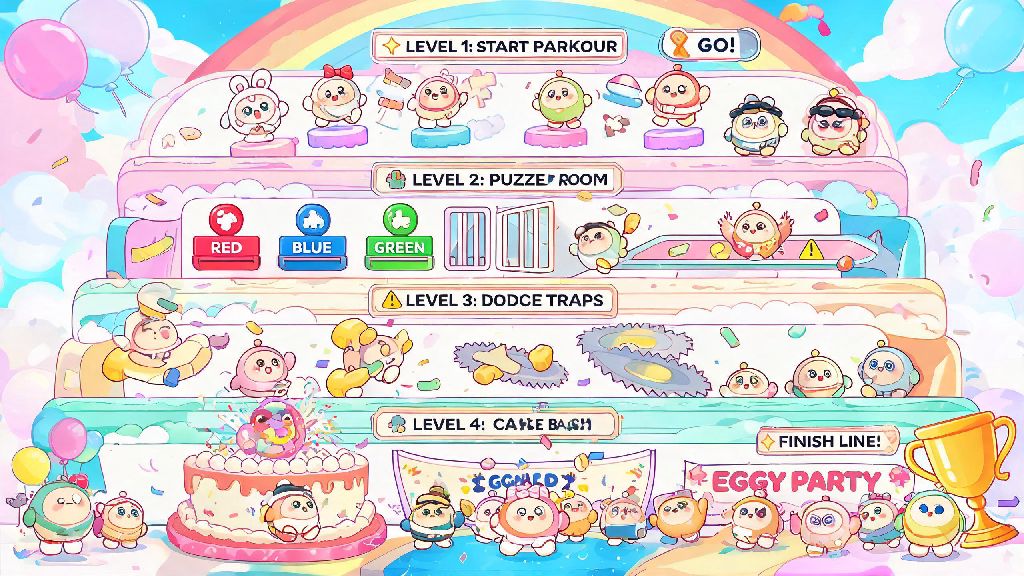
If you’ve spent any time scrolling Eggy Party’s custom level feed in 2026, you’ve probably stumbled on wildly creative maps that make you wonder “how did someone even make that?” Designing fun maps in Eggy Party doesn’t require fancy coding skills or years of game design experience, either. I’ve built 12 public maps in the last 6 months, 3 of which hit the platform’s top 100 trending list, and I’m breaking down everything I wish I knew when I first started. You can have a playable, shareable map ready in less than 2 hours if you follow these simple steps.
Core Rules for Designing Fun Maps in Eggy Party That Get Shared
Too many new creators jump straight to placing traps and decorations without thinking about the player experience first. I’ve seen hundreds of maps get 10 or fewer plays because they skip these basic rules, even if the art is incredible. The best performing maps all follow the same core logic, no matter if they’re parkour, puzzle, or party game focused.
These rules don’t limit your creativity, either. They just make sure the cool ideas you build actually get seen by people, instead of getting lost in the thousands of new maps uploaded every day. I still follow every single one of these rules for every map I build, even now that I have a small following of regular players.
2026 Eggy Workshop Tools You Should Stop Sleeping On
Eggy Party’s 2026 Workshop update added 17 new tools that most new creators don’t even know exist, and they cut my map building time in half once I learned how to use them. You don’t have to use every single tool for every map, but experimenting with a few at a time will make your maps stand out from thousands of generic parkour levels on the feed.
The dynamic trigger tool is my favorite by far. It lets you link actions to specific player movements, so you can make walls move when someone picks up a coin, or play a silly sound effect when a player falls into a trap. I used it for my popular “Haunted Bakery” map to make cakes chase players around the kitchen, and it’s the feature everyone comments on in reviews. You can set up basic triggers in less than a minute, even if you’ve never used logic tools before.
Another underrated tool is the community asset library, where players upload their own custom decorations for free use. If you’re not good at building custom models from scratch, you can find everything from neon signs to fantasy castle towers that other creators have shared for public use. Just make sure to credit them in your map description if you use their assets, it’s common courtesy in the Eggy creator community. If you want to browse the top-rated 2026 assets, you can find them in the official Eggy Workshop asset hub.
Don’t sleep on the auto-save feature either, it got enabled by default in the 2026 update. I lost 3 hours of work on my second map because I forgot to save manually, and I haven’t had that problem since the auto-save rolled out. Just make sure you connect your account to the cloud so you don’t lose your progress if you switch devices.
Common Mistakes That Kill Map Engagement (And How to Fix Them)
Even if you follow all the core rules, small mistakes can tank your map’s play rate and reviews. I’ve made almost all of these mistakes myself, so I know exactly how easy they are to miss when you’re focused on building.
The most common mistake I see is overcrowding your map with decorations that block player visibility. It’s tempting to add as many cute stickers and props as possible, but if players can’t see where they’re jumping, they’ll get frustrated and quit. You can fix this by making decorative objects translucent, or moving them to the background so they don’t block the main play path. I usually turn off all decorations for one test play just to make sure the core path is clear and easy to follow.
Another big mistake is not adding enough checkpoints for longer maps. If your map takes more than 2 minutes to complete, you need a checkpoint at least every 45 seconds. I once played a 10 minute long parkour map with only one checkpoint at the very start, and I quit after falling right before the end the third time. Players won’t waste 20 minutes replaying the same section of your map just to get to the part they haven’t seen yet.
You also don’t want to make your map too long in general. The highest performing maps on the 2026 trending feed are between 1 and 4 minutes long. Anything longer than that will have a much lower completion rate, unless it’s a story-driven puzzle map that’s explicitly marketed as a longer experience. If you have a bigger idea, you can split it into a series of shorter maps instead, that way players can come back for more without feeling overwhelmed.
How to Promote Your New Map to Get More Plays
Building a great map is only half the battle. You have to get it in front of players, and the 2026 Eggy Party algorithm favors maps that get plays and positive reviews in the first 24 hours after publishing. There are a few simple tricks to give your map a boost right after you hit publish.
First, share it in your in-game friend group and any Eggy Party Discord servers you’re part of. Ask people to leave a review if they liked it, even a short one. The algorithm picks up on early engagement, so 10 positive reviews in the first hour can push your map onto the “new and noteworthy” feed for your region, which gets tens of thousands of views a day. Just don’t spam servers with your map link, that will get you banned fast.
You can also post short clips of your map’s most fun moments on TikTok or Instagram Reels, tagged with #EggyPartyMaps2026. I got 12,000 plays on one of my maps after a 15 second clip of the cake chase scene went viral on TikTok last month. You don’t need a big following to get traction, either, as long as your clip shows something funny or surprising that makes people want to play the map themselves.
Don’t forget to fill out your map’s description and tags correctly. Include what type of map it is, the difficulty level, and any unique features so players know what to expect before they click play. If you tag your map as “easy parkour” but it’s actually for advanced players, you’ll get a lot of negative reviews from people who were expecting a casual experience. Be honest about what your map is, and you’ll attract players who will actually enjoy it.
Designing fun maps in Eggy Party is one of the most rewarding parts of the game in 2026, and you don’t have to be a professional designer to make something people love. Start small, experiment with new tools, and don’t get discouraged if your first few maps don’t get tons of plays immediately. Every creator I know had to make 5 or 6 bad maps before they made one that hit the trending page. What’s the first map idea you’re going to build first? Drop it in the comments below!