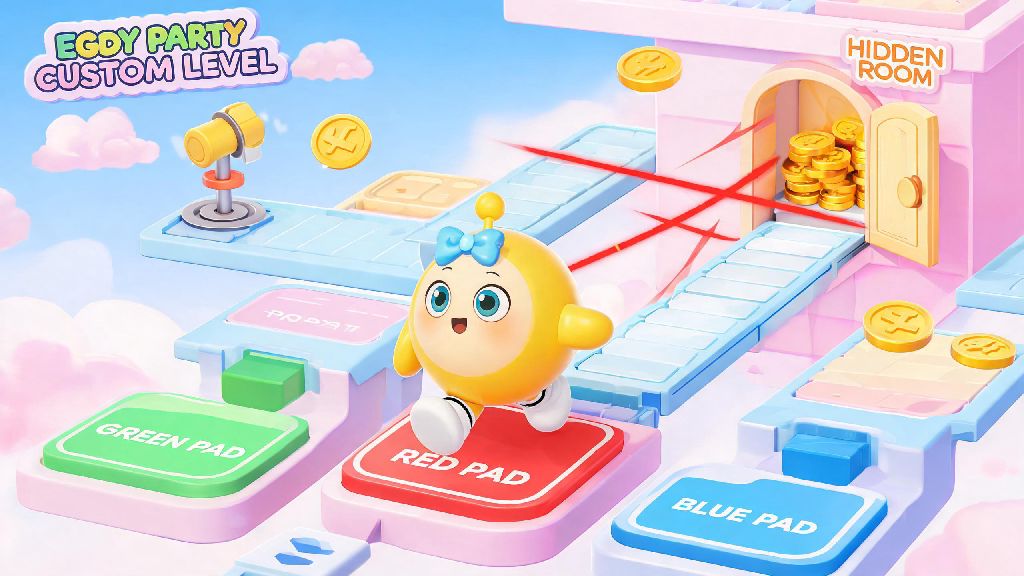
If you’ve spent any time browsing user-created maps in Eggy Party’s 2026 workshop, you’ve probably played a level that felt way more polished than the rest—with moving platforms that trigger when you step on a tile, secret rooms that unlock after collecting 3 coins, or obstacle courses that get harder the better you perform. That extra layer of interactivity almost always comes from using logic triggers Eggy Party’s built-in editor gives you access to, even if you don’t have any coding or game design experience. I’ve built over 20 custom maps in the last 6 months, and I used to skip logic triggers entirely because I thought they were too complicated—until I realized even basic use of these tools can make your maps get 10x more plays and positive ratings. I still remember the first map I made that used triggers: a simple puzzle map where you had to step on 3 colored pads in order to unlock the final door. It got 2,000 plays in the first week, which was way more than any of my previous maps that had no triggers at all.
What Are Logic Triggers in Eggy Party 2026, Exactly?
At their core, logic triggers are just cause-and-effect tools built directly into the Eggy Workshop editor. You don’t need to write a single line of code to use them, and the 2026 update simplified the setup menu so you can link actions and effects in just a few clicks. Every logic trigger has two core parts: an action that sets it off, and a result that happens after it triggers. For example, the action could be a player stepping on a pressure pad, collecting a specific item, or finishing a lap, and the result could be a door opening, a platform spawning, or a confetti effect popping up to celebrate a win. Many new creators assume that using logic triggers Eggy Party provides requires coding knowledge, but that’s not true at all—all the setup is done with simple drag and drop menus. I used to think they were only for complex puzzle maps, but even casual racing maps can use them to add fun surprises, like a random speed boost pad that pops up for the player in last place.
Key Rules for Using Logic Triggers Eggy Party 2026 Editors Should Follow
It’s easy to get carried away once you realize how many cool effects you can add with triggers, but there are a few basic rules you should follow to make sure your maps are fun instead of frustrating for players. I learned most of these the hard way, after publishing a map with 17 overlapping triggers that crashed halfway through for 40% of the people who played it. Stick to these guidelines, and you’ll avoid 90% of the most common trigger issues:
3 Beginner-Friendly Logic Trigger Ideas to Try First
You don’t have to build a super complex puzzle map to use triggers effectively. These three simple ideas take less than 10 minutes each to set up, and they’ll make your maps feel way more polished right away. If you’re still nervous about using logic triggers Eggy Party’s 2026 editor has a built-in tutorial for each trigger type that walks you through setup step by step, so you can follow along as you build. First, try Dynamic difficulty triggers for racing maps. Set a trigger that checks when a player is more than 10 seconds behind the first place racer, and spawns extra speed boosts or shortcut ramps only for that player. This keeps races close and fun even if one player is way more skilled than the rest. I used this for my recent beach racing map, and it cut the number of players quitting mid-race by 60% according to my map stats. Second, add Collectible-based secret unlocks to any puzzle or exploration map. If you hide 5 lollipop collectibles around your map, set a trigger that unlocks a special bonus room with a bunch of free coins for any player that collects all 5. It gives players a reason to explore every corner of your map instead of rushing to the finish line. I’ve had dozens of comments on my maps saying players replayed them 3 or 4 times just to find all the collectibles and unlock the bonus room. Third, use Progressive obstacle triggers for obstacle course or infinite runner maps. Set a trigger that makes obstacles move faster or add new hazards every time a player completes a lap of your course. It’s a great way to add replay value, since players can challenge themselves to beat harder versions of the same level instead of getting bored after one playthrough.
Common Logic Trigger Mistakes to Avoid in 2026
Even if you follow all the basic rules, there are a few small mistakes that can ruin your trigger setup. I’ve made every single one of these at least once, so save yourself the headache of pulling a map after publication because of a preventable bug. First, don’t forget to set trigger cooldowns. For example, if you have a pressure pad that opens a door, if you don’t set a 2-second cooldown, the door will keep opening and closing rapidly if a player stands on the edge of the pad. Always set a short cooldown for any trigger that can be activated repeatedly to avoid glitches. The cooldown option is tucked in the advanced settings tab of the trigger menu, so it’s easy to miss if you don’t know it’s there. Second, don’t make trigger requirements too strict. If you set a trigger that only unlocks if a player collects exactly 10 coins in 30 seconds, most casual players won’t be able to hit that requirement, and they’ll get frustrated. You can always add a harder version of the trigger for advanced players who want an extra challenge, but keep the main path requirements accessible for everyone. Most people play Eggy Party to have fun, not to grind a super hard challenge for 20 minutes. Third, don’t ignore audio cues for triggers. When a trigger activates, add a small sound effect so players know that something happened, even if the effect is off-screen. Audio cues make your triggers feel far more responsive and intentional for players. I used to skip adding sound effects entirely, until a comment on one of my maps said they didn’t realize they’d unlocked a secret room until they wandered into it 5 minutes later. Finally, don’t use trigger effects that block the player’s view entirely, like full-screen flashes that last more than half a second. Those can be disorienting, and even trigger motion sickness for some players. Keep effects subtle and focused on what the player is currently doing, and you’ll be good to go.
You don’t need to be a professional game designer to make custom maps that stand out in 2026’s Eggy Party workshop, and using logic triggers Eggy Party gives you for free is the easiest way to add that special touch that makes players remember your levels. Start small with one of the simple ideas we covered above, test it thoroughly, and don’t be afraid to experiment with the new trigger types added in this year’s update. The most popular custom maps on the platform right now all started with a small, fun trigger idea, so yours could be next. If you make a map you’re proud of, drop the share code in the comments below—I’d love to play it!