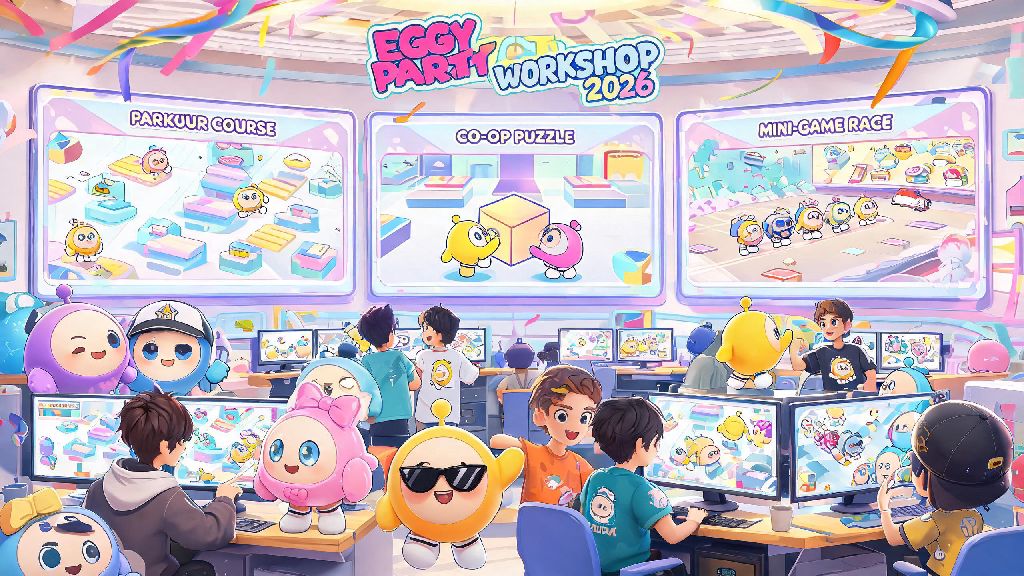
Eggy Party’s UGC scene has exploded in 2026, with over 14 million custom maps uploaded to the workshop so far this year. If you’ve spent hours building a fun parkour course, co-op puzzle, or silly mini-game, you probably want to get it in front of other players to enjoy. I’ve been creating Eggy Workshop maps for 3 years now, and my last viral upload hit 12 million plays in two weeks, so I’ve tested every possible way to get your work seen. This guide breaks down exactly how to share maps in Eggy Party, whether you want to send it to a small group of friends or build a global audience of fans.
How to share maps in Eggy Party with in-game friends in 2026
Sharing directly with in-game friends is the easiest way to get quick feedback on a new draft, or send a fun map you found to your regular play group. The process got a major update in the 2026 spring patch, so if you haven’t shared a map in a few months, you might notice some small changes to the menu layout. To start, open your “Saved Maps” folder in the Eggy Workshop tab, tap the three dots next to the map you want to share, and select “Send to Friend.” You can choose individual contacts or entire group chats to send the link to, and recipients will get a pop-up notification the next time they log in.
You can only share up to 10 maps per friend per day, which is a new limit added in 2026 to cut down on spam from bot accounts. If you hit that limit, you can still send them the map code manually, or share it via a Discord message instead. I usually share draft maps with 3 of my closest Eggy Party friends first to get feedback on tricky parts before I post them publicly. It’s saved me from publishing maps that have broken parkour jumps more times than I can count. If your friend says they didn’t get your invite, double check that they haven’t turned off map invite notifications in their privacy settings.
Sharing custom Eggy Workshop maps publicly to reach new players
If you want to get your map in front of thousands or even millions of random players, sharing it publicly to the Eggy Workshop feed is the way to go. 2026 added a new “Rising Creator” slot in the workshop homepage that shows maps from creators with under 1,000 followers, so it’s easier than ever for new creators to get traction. To share publicly, go to your map’s edit page, toggle the “Public” switch, fill out the required tags and description, and hit publish. Your map will show up in relevant search results and category feeds right away, and will be considered for the trending page if it gets enough plays and likes in the first 48 hours.
If you’re new to learning how to share maps in Eggy Party publicly, these best practices will help you stand out from the thousands of other maps uploaded daily:
Publicly shared maps are moderated within 2 hours of posting, so make sure your map doesn’t have any offensive content, unlicensed copyrighted material, or glitches that break the game. If you’re unsure whether your map follows the rules, check the official 2026 Eggy Workshop content rules before you hit publish. The most common reason maps get rejected in 2026 is uncredited use of other creators’ custom assets, so always ask permission before using someone else’s work in your map.
Sharing Eggy Party maps off-platform to social media and forums
Cross-platform sharing is the secret to growing a loyal audience as an Eggy Party creator in 2026, because most players discover new maps on TikTok, Discord, or Reddit before they even open the workshop tab. The 2026 Q1 update added a one-tap share button that lets you post your map directly to all major social platforms, complete with a unique QR code that viewers can scan to open the map immediately in their game, no manual code entry required. You can also download a short clip of your map directly from the share menu to use in your posts, which saves you the trouble of recording and editing footage yourself.
Posting a short playthrough clip with your map link on TikTok Eggy Party communities can get you 10x more plays than only sharing in the in-game workshop, based on my own experience with my viral 2026 mini-game map. Make sure to use popular hashtags like #EggyPartyMaps2026 and #EggyWorkshop to reach people who are actively looking for new maps to play. There are also dozens of active Discord servers for Eggy Party creators that have dedicated self-promo channels where you can share your maps without getting banned, just make sure to follow each server’s rules about how often you can post your work. Reddit’s r/EggyParty community also has a weekly map share thread where you can post your latest creation and get feedback from other creators.
Troubleshooting common map sharing issues in 2026
Even if you follow all the steps correctly, you might run into small issues when sharing maps, especially after the 2026 updates that changed a lot of the workshop backend. The most common issue people report is that their map isn’t showing up in search results after they publish it publicly. That usually happens if you didn’t add enough relevant tags, or if the algorithm is still processing your map, which can take up to 24 hours for longer, more complex maps. Wait a full day before you try republishing, because reposting the same map multiple times can get it marked as spam.
If your public share is rejected, you can submit an appeal within 7 days for a second review, and most minor mistakes get approved on appeal if you fix the issue first. For example, if your map was rejected for uncredited assets, you can remove the assets or add credit in the map description, then submit the appeal. Another common issue is that friends can’t access a map you shared with them. That almost always means they have their privacy settings set to block map invites from people who aren’t on their close friends list, so ask them to adjust that setting or send them the map code manually instead.
You can't share maps that contain paid workshop assets unless you have permission from the original asset creator, which is a new rule rolled out in 2026 to protect creators who sell custom assets in the workshop. If you use paid assets without permission, your map will be taken down, and you could get a temporary ban from the workshop if you repeat the violation. If you’re not sure if you have permission to use an asset, check the asset’s listing page, which will clearly state if it can be used in public maps for free or if you need to purchase a commercial license.
If you take nothing else away from this guide, remember that sharing maps is supposed to be fun, not stressful. My first ever shared map only got 12 plays, all from my friends, so don’t get discouraged if your first few uploads don’t go viral. Whether you’re just learning how to share maps in Eggy Party or you’re a veteran creator looking to grow your audience, these methods will help you get your work in front of the right people. The 2026 Eggy Workshop tools make it easier than ever to connect with other players who will love the maps you spent so much time building, so don’t be afraid to hit that share button.