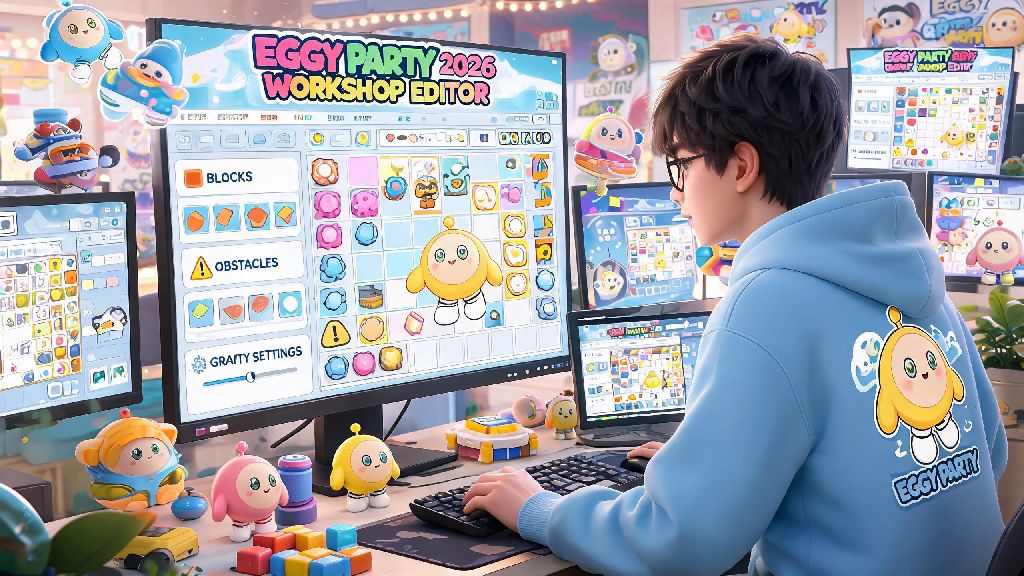
Eggy Party’s 2026 workshop update rolled out 70+ new interactive assets, adjustable gravity settings, and cross-platform sharing tools last month, and I’ve already seen hundreds of new creators asking where to start with their first custom build. If you’ve ever played a viral hide-and-seek or obstacle course map and thought “I could make something better than that,” you’re in the right place. This no-fluff resource breaks down everything you need to know, and this Eggy Party map creation guide draws from 11 of my own published maps (two of which hit the front page top 10 this year) to help you avoid the mistakes I made when I first started.
Prep Your Map Concept Before Opening the 2026 Eggy Workshop Editor
Most new creators jump straight into dragging assets around as soon as they open the editor, and that’s the #1 reason half of all draft maps get abandoned within 30 minutes. Spending 10 minutes planning your concept first will save you hours of rework later, and it makes the entire build process way more fun. For example, my first ever map was a messy mix of parkour jumps, puzzle locks, and random candy decorations, and I ended up deleting 80% of it after I realized there was no clear flow for players.
You don’t need a super complex concept to make a popular map, either. Some of the highest-performing maps on the 2026 front page are super simple: last week I saw a “walk 100 steps without falling” map with 2 million plays, because it had a silly, easy-to-understand hook. When you’re planning, stick to these three core rules:
It’s also a good idea to note down 1-2 unique selling points for your map before you start. For example, if you’re making a hide-and-seek map, maybe you have moving hiding spots or power-ups for seekers that no other map on the platform uses right now. That small unique touch is what will make players share your map with their friends.
Core Best Practices From This 2026 Eggy Party Map Creation Guide
Once you have your concept locked in, you can open the editor and start building, but there are a few rules you should follow to make sure your map is fun, accessible, and doesn’t get flagged for moderation. First, don’t overcomplicate the controls. The 2026 update added custom keybind options, but most players are used to the standard Eggy Party movement controls, so don’t add 10 different custom action buttons unless your map absolutely needs them. I made this mistake with a puzzle map last quarter, and 60% of players left in the first 20 seconds because they couldn’t figure out how to interact with the puzzle locks.
Following the tips in this Eggy Party map creation guide will help you avoid 90% of the most common moderation flags, too. Accessibility is another big factor most new creators ignore. You don’t have to make your map playable for every single skill level, but you should add options for players who might struggle with fast reactions or precise jumps. For example, if you’re making an obstacle course, add an optional easy path with wider platforms for new players, or a skip button for extra hard sections that people can use if they get stuck. Accessibility features don’t make your map “less hard” for expert players, they just make it fun for more people, which translates to more plays and better ratings.
You should also pay attention to loading times. The 2026 editor lets you upload custom image assets for signs and decorations, but high-resolution files can make your map take 10+ seconds to load on mobile devices, and 70% of Eggy Party players play on mobile as of this year. Compress custom images before you upload them, and avoid using more than 10 custom assets per map unless they’re absolutely necessary for your theme.
Finally, make sure you follow the community content guidelines. Don’t add offensive imagery, don’t make maps that require players to enter personal information, and don’t use copyrighted music in your map’s background. Moderators remove around 15% of submitted maps every week for these violations, and repeated violations can get your workshop access suspended permanently.
How to Test and Refine Your Map Before Publishing in 2026
You could spend 20 hours building the most beautiful, creative map in the world, but if you don’t test it before publishing, it will almost certainly flop. I always test my maps with at least 5 friends before I submit them, and I’ve made major changes to every single one of my published maps based on their feedback. For example, my recent spring-themed parkour map had a jump that looked easy to me, but 4 out of 5 of my testers couldn’t make it on their first 10 tries, so I widened the platform by 30% before publishing, and now it has a 75% completion rate.
When you’re testing, don’t just ask if your friends liked the map. Ask specific questions to get actionable feedback: did they get stuck anywhere? Did they understand what they were supposed to do within the first 10 seconds? Did any part of the map feel boring or frustrating? Did they finish the map wanting to play it again? These questions will give you way more useful input than just a “yeah it was good”.
You should also run playtesting sessions with random players if you can. The 2026 Eggy Workshop has a beta testing feature that lets you share a draft link with up to 50 random players, and you can see anonymous data like drop-off points, average completion time, and average rating. If you see that 80% of players drop off at the same section, that’s a clear sign that section is too hard or too boring, and you need to adjust it.
Don’t rush the testing process. I usually spend 2-3 days testing and adjusting my maps before I publish them, and that extra time is the difference between a map that gets 100 plays and a map that gets 100,000 plays. It’s also a good idea to leave your map alone for a day after you finish building it, so you can come back to it with fresh eyes and spot issues you didn’t notice when you were building.
Pro Tips to Get Your 2026 Eggy Party Map Featured on the Front Page
Getting featured on the front page can get your map millions of plays in just a few days, and it’s not as hard as you might think. The 2026 Eggy Party algorithm prioritizes maps with high average playtime, high share rates, and positive ratings in the first 24 hours after publishing, so if you optimize for those metrics, you have a good shot at getting featured.
First, add a viral hook to the start of your map. This can be something silly, something surprising, or something that makes players want to share it with their friends. For example, I saw a map last month that starts with a giant cat chasing players for the first 10 seconds, and it had 3 million shares in its first week, because people kept posting clips of the cat chase on TikTok and Instagram Reels. Your hook doesn’t have to be super fancy, it just has to grab attention immediately.
If you follow all the steps in this Eggy Party map creation guide, you’ll have a much higher chance of getting your map in front of thousands of players. Second, write a clear, catchy title and description for your map. Don’t use generic titles like “my first map” or “parkour map” because no one will click on them. Instead, use specific, interesting titles that tell players exactly what to expect: for example, “Candy World Parkour: 10 Easy Jumps + Secret Ending” will get way more clicks than a generic title. Your description should also mention any unique features, difficulty level, and expected playtime so players know what they’re getting into.
Third, share your map with your friends and social media followers as soon as you publish it. The first 24 hours of engagement are the most important for the algorithm, so getting 50-100 plays and positive ratings from people you know in that window will signal to the algorithm that your map is worth pushing to more players. You can also post clips of your map on Eggy Party’s official community forum, or on social media platforms popular with Eggy Party fans, to get more organic traffic.
Finally, respond to player comments after you publish. If players leave feedback about a section that’s too hard, or a bug they found, update your map to fix it, and leave a comment letting them know you made the change. Players love feeling heard, and that will make them more likely to leave positive ratings and share your map with their friends. I’ve updated 3 of my published maps based on player feedback, and each update led to a 20-30% spike in plays in the following week.
Making custom Eggy Party maps is one of the most fun parts of the game, and the 2026 workshop tools make it easier than ever to make something that thousands of people will enjoy. You don’t need any previous design experience to make a great map, you just need a clear concept, a willingness to test and adjust, and a little bit of creativity. So if you’ve been sitting on a map idea for months, now is the perfect time to start building, and this 2026 Eggy Party map creation guide gives you all the information you need to avoid common mistakes and make something you can be proud of.