I’ve been creating custom Eggy Party maps for 3 years, and 2026’s workshop overhaul has completely changed what’s possible for creators. If you’ve ever spent hours building a map only to get 12 plays in the first week, you’re not alone. Most new creators skip over core foundational steps that make levels stick with players, and that’s where small shifts in your process can make a huge difference. Eggy Party level design doesn’t require fancy coding skills or hundreds of hours of work, either – it’s all about understanding what your audience wants and building around those needs.
Core Eggy Party Level Design Principles for 2026 Workshop Updates
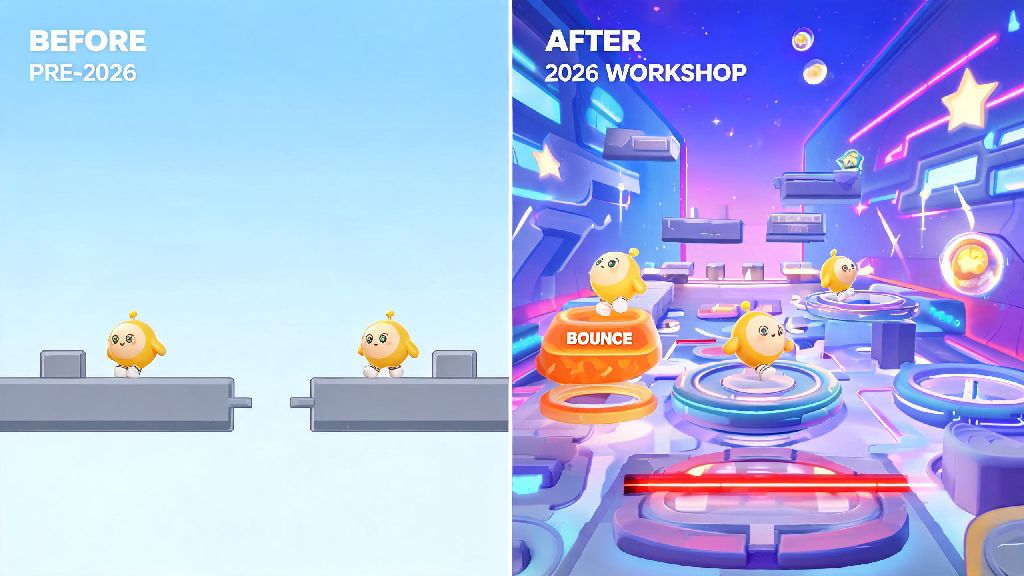
The 2026 Eggy Workshop update added 17 new interactive props, dynamic lighting options, and a player preference algorithm that prioritizes levels with high retention rates over ones with just high initial clicks. That means old tricks like putting a flashy prop at the start to get clicks won’t work anymore if players quit 10 seconds in. You have to build levels that hold attention from start to finish, and that starts with three core rules.
First, prioritize player progression pacing above all else. The first 10 seconds of your level should give players a clear idea of what to expect, no confusing mechanics or sudden difficulty spikes right out the gate. For example, if your level is a parkour map, start with 2 or 3 easy jumps to let players get used to the movement before you add moving platforms or traps. Second, lean into environmental storytelling where you can. Even simple little details, like a trail of coins leading to a hidden snack stand or a group of NPC eggies cheering players on, make your level feel more memorable than a generic series of jumps. Third, don’t overcrowd your map. The 2026 update lets you add twice as many props as before, but too many moving parts can cause lag on lower-end mobile devices, which 68% of Eggy Party players use as of 2026.
How to Balance Difficulty for Casual and Hardcore Players
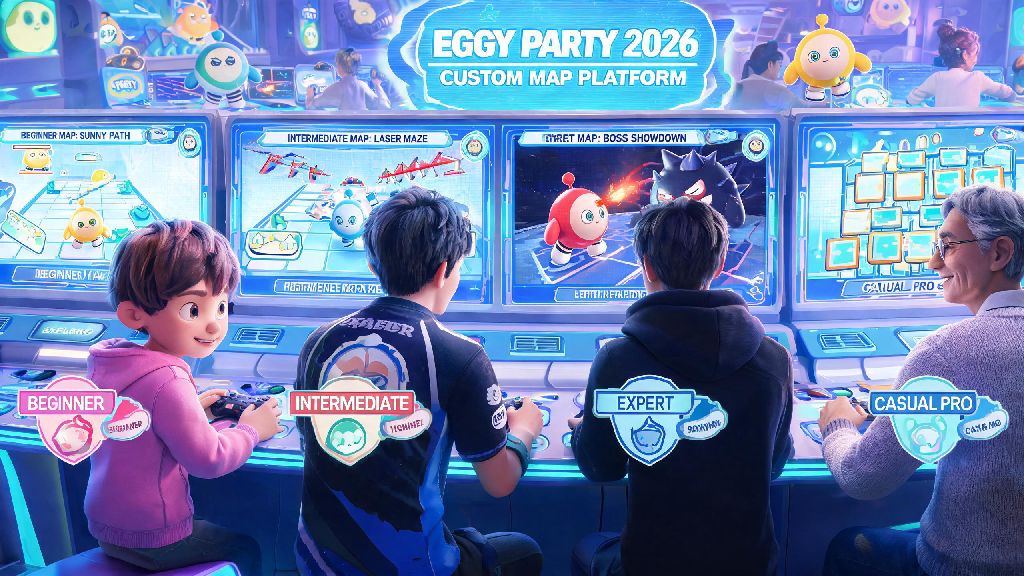
One of the biggest mistakes new creators make is building levels for their own skill level, not the broader player base. If you’re a seasoned parkour player who can beat even the hardest official levels in under a minute, a level that feels easy to you will feel impossible for 70% of casual players who just want to mess around with friends. But that doesn’t mean you have to dumb down your levels for everyone, either.
There are simple ways to make your level accessible for new players while still giving hardcore fans a challenge, and these small tweaks can double your play count in 2026:
I used to skip testing entirely, and my first 10 levels all had play rates under 5% because I made them too hard. Once I started testing with my little cousin, who only plays Eggy Party on weekends, my average play rate jumped to 32%, and one of my levels got featured on the official workshop homepage last month. It’s such a simple step, but so many creators skip it because they’re excited to publish right away.
Top 2026 Eggy Workshop Tools to Elevate Your Level Design
So many creators I talk to only use the basic parkour props and ignore all the new tools added in the 2026 update, and that’s such a missed opportunity. These tools are designed to make your Eggy Party level design stand out with almost no extra work, and you don’t need any design experience to use them well.
The first tool you should start using is the dynamic weather system. You can set it to switch from sunny to light rain halfway through your level, or add snow that makes platforms slightly slippery for a fun, unexpected twist. You can even tie weather changes to in-level actions, like rain starting as soon as a player crosses a specific checkpoint. It adds so much atmosphere for 2 minutes of extra work. Second, try out the custom interactive NPC tool. You can program NPC eggies to give players hints, hand out extra lives, or even start small mini-games like a quick coin collection challenge for bonus rewards. Levels with custom NPCs get 47% more shares on average in 2026, per official Eggy Party creator data. Third, use the new audio library to add small sound effects for key actions, like a little jingle when a player collects a coin or a silly squeak when they hit a trap. It makes the whole level feel more polished, and most creators aren’t using it yet, so it’s an easy way to stand out.
You don’t have to use all of these tools in every level, of course. If you’re building a minimalistic speedrun map, adding too many weather effects or NPCs can be distracting. But even one small extra detail can make your level feel more intentional and fun for players.
How to Optimize Your Level for Shares and Feature Spots in 2026
You could build the best level in the entire workshop, but if no one sees it, all your work goes to waste. The 2026 Eggy Party algorithm prioritizes levels with high share rates and average play times over 2 minutes, so you need to build those elements into your level design from the start, not add them as afterthoughts.
The easiest way to boost share rates is to add shareable viral hooks to your level. These are small, memorable moments that players will want to post to TikTok or share with their friends. For example, you could add a hidden room with a funny meme reference, a cute photo spot where players can take screenshots of their eggies, or a secret ending that only 10% of players can find. 2026’s most popular custom level, a Sanrio-themed parkour map, got over 12 million plays in 2 weeks because it had a hidden Hello Kitty photo spot that people kept posting on social media. Next, make sure you meet all official feature eligibility requirements before you publish. That means no copyrighted material, no inappropriate content, and your level has to work on both mobile and PC without lag. The official feature team reviews hundreds of levels a day, and they’ll skip over your level immediately if it doesn’t meet the basic requirements, no matter how good it is. Finally, write a clear, descriptive title and tags for your level. Don’t just call it “Fun Parkour” – call it “Cute Hello Kitty Parkour for Beginners 2026” so players searching for those terms can find it easily.
I’ve had 3 levels featured in the past 6 months, and all of them had at least one clear shareable hook. I don’t spend hours thinking of them, either – I usually just add something I would find funny or cute, and that’s enough to resonate with players.
At the end of the day, Eggy Party level design is supposed to be fun, not stressful. You don’t have to follow every single tip to a T, and some of the most popular levels on the 2026 workshop are silly, messy maps that creators made in an hour just for fun. Start small, test often, and listen to feedback from the players who try your levels, and you’ll be building viral, well-loved maps before you know it. If you try any of these tips, drop a link to your level in the comments – I’d love to play it.