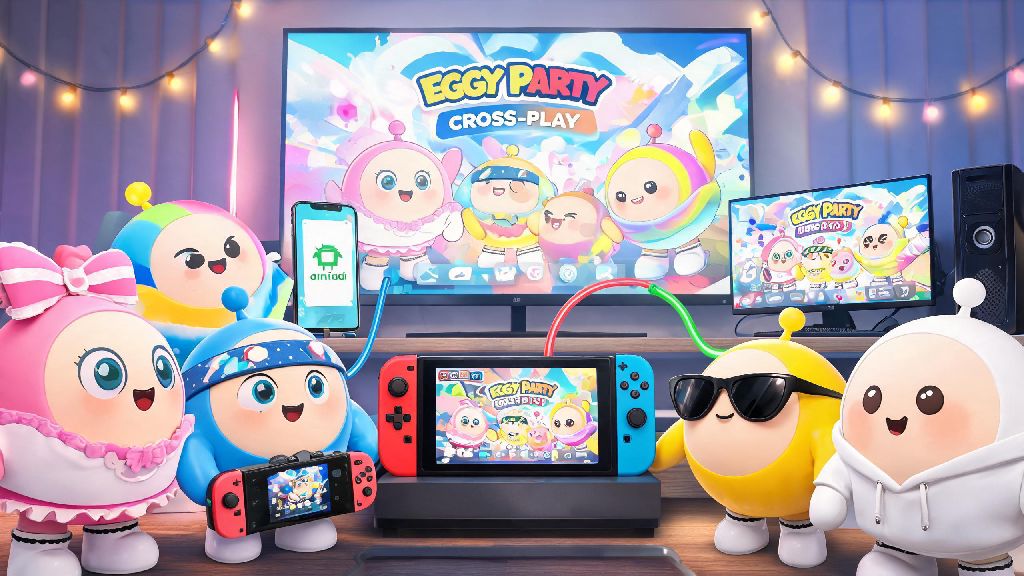
If you’ve just jumped into the wacky, chaotic world of Eggy Party, few things are more frustrating than wanting to squad up with a friend only to realize you’re playing on different devices. When I first started playing, I spent almost a week trying to join my little sister’s lobby, since she plays on Switch and I stick to my Android phone most days. That frustration is what pushed me to dig into every detail of Eggy Party cross-platform functionality, and I’ve put together all the rules, tips and fixes you need in this guide. You won’t have to waste hours testing settings like I did – you’ll be playing cross-device with friends in 5 minutes or less.
How Does Eggy Party Cross-platform Play Work Across Devices?
First off, it’s important to know which devices support cross-play first, because not every version of the game plays nicely with the others. All mobile (iOS and Android) and PC versions of Eggy Party have cross-platform matching enabled by default, so you don’t have to toggle any special settings to run into players on other devices in public lobbies. That means if you’re playing on your iPhone on the commute, you could be racing against someone playing on their gaming PC at home, no extra work required.
Switch support is a little more limited right now. If you play Eggy Party on Nintendo Switch, you can only cross-play with other Switch players by default, but you can unlock cross-play with mobile and PC players by linking your game account to an official Eggy Party account. You don’t have to pay anything extra for this feature, it’s just a security step to prevent cheating across platforms.
One thing to note: PlayStation and Xbox versions of Eggy Party haven’t been announced yet, so cross-play support for those consoles isn’t available as of now. If that changes, we’ll update this guide immediately with all the relevant details.
Key Perks of Using Eggy Party Cross-platform Features
A lot of casual players don’t bother setting up cross-platform play because they assume it’s only for people who play competitively, but that’s not true at all. There are benefits for every type of player, no matter how often you log on:
I used to only play on my phone, but I got a cheap PC for college last year and was so relieved I didn’t have to start all over with a new account. Account linking for cross-save takes less than two minutes to set up, and it’s saved me so much hassle when I want to play on a bigger screen with a keyboard instead of tapping my phone screen.
Common Eggy Party Cross-platform Errors & Simple Fixes
Even if you follow all the official steps, you might run into a few snags when trying to play cross-device. I’ve dealt with almost all of these personally, so these fixes are tested and work 90% of the time.
The most common error is not being able to find a friend’s lobby when you enter their room code. The first thing you should check is you and your friend are both running the latest updated version of Eggy Party. If one of you is on an old patch, you won’t be able to connect, since cross-play only works between matching game versions. Most devices update the game automatically, but if you have auto-updates turned off, you’ll need to manually download the latest patch from your app store.
Another common issue is cross-save progress not showing up on a new device. 9 times out of 10, this happens because you logged into the new device with a guest account instead of linking the same account you use on your main device. Account linking is non-negotiable for cross-save and cross-play functionality, so make sure you’re signed into the same official Eggy Party account on all devices you use. If you still don’t see your progress, restart the game once and it should sync within a minute.
You also might run into higher ping than usual when playing cross-platform with players in other regions. If that’s a problem, you can toggle the “limit to local region” setting in your match preferences to only match with players close to you, even with cross-play enabled.
Easy Tips to Optimize Your Cross-platform Gaming Experience
Now that you know the basics, there are a few small tweaks you can make to get the most out of cross-platform play without any extra hassle.
If you’re creating a new account for the first time, link it to your email or social media right away instead of using a guest account. Guest accounts can’t access cross-platform features at all, and if you lose your device, you’ll lose all your progress permanently. It only takes 30 seconds to link an account, and it saves you so much trouble later.
If you play both ranked and casual modes, you can toggle cross-platform play on and off depending on what you’re doing. A lot of competitive players turn off cross-play for ranked matches, because PC players with keyboards have a small advantage over mobile players with touch screens. You don’t have to do this if you don’t care about rank, but it’s a good option to know about if you’re trying to climb the leaderboards.
Don’t log into the same Eggy Party account on multiple devices at the same time. This will trigger a sync conflict, and you might lose recent progress if the game can’t tell which save file is the most up-to-date. Always log out of one device before logging into another if you’re switching between them.
One last tip: if you love playing custom maps from the Eggy Workshop, almost all user-created maps work across all devices. The only exception is very large, complex maps that might take longer to load on Switch or older mobile devices, but they’ll still work if you give them a minute to finish loading.
At the end of the day, Eggy Party cross-platform functionality is one of the biggest reasons the game has stayed so popular with casual and competitive players alike. It removes the biggest barrier to playing with friends, and lets you take your progress with you no matter what device you prefer to use. You don’t have to be a tech expert to set it up, either – just follow the steps in this guide, and you’ll be squadding up with friends across every supported device in no time.