We’ve all been there: you see a post from your favorite game developer announcing free redeem codes for limited skins, or get an email with a discount code for a streaming service you’ve been wanting to try. But if you don’t know how to use redeem codes correctly, you can easily miss out on those perks entirely. I’ve tested code redemption across more than 20 games and digital platforms over the last 7 years, and I’ve made every mistake in the book: typos that made codes expire, trying to redeem region-locked codes on the wrong account, even falling for a fake code scam once early on. This guide breaks down everything you need to know to get every possible reward from the codes you find, no wasted effort required.
How to Use Redeem Codes Across Most Common Platforms
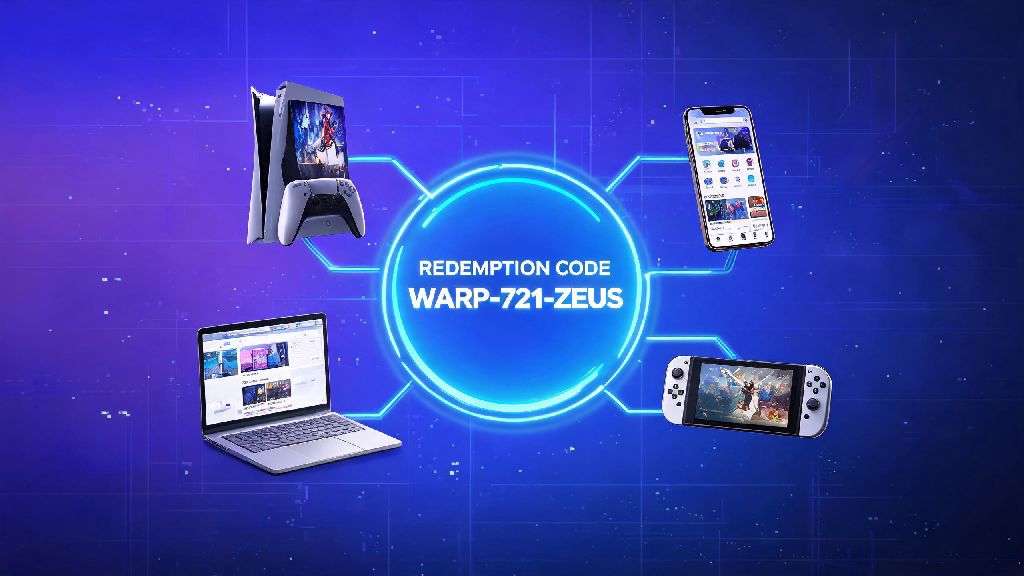
Redemption steps vary a lot depending on what platform you’re using, but most follow a similar basic structure. For mobile games on Android, you’ll usually find a dedicated “Redeem Code” section either in the game’s settings menu, the in-game store, or the account profile tab. You just paste the code, hit confirm, and the rewards will show up in your in-game mailbox within a few minutes.
iOS users often run into a roadblock here, though. Apple restricts in-app code redemption for most games to avoid losing their 30% cut of in-app purchases, so you’ll have to leave the app to redeem most codes for iOS games. Head to the developer’s official website, log into your linked game account, and enter the code in the redemption portal there. Make sure you’re logged into the right account, because rewards can’t be transferred later.
For PC launchers like Steam, Epic Games, or Roblox, you can redeem codes directly in the launcher’s “Redeem” or “Add Code” section, usually found in your account settings. For streaming services and subscription platforms, you’ll redeem codes in the billing section of your account, either on the website or the app. Always check if the platform requires you to log into the correct regional account before entering a code, because region locks are one of the most common reasons for failed redemptions.
In-game redemption for live service games like Genshin Impact, Fortnite, or Eggy Party works a little differently. Some require you to restart the game after redeeming a code to get your rewards, while others send them to your in-game mail that expires after 30 days, so don’t forget to claim them once they arrive.
Common Mistakes That Make Redeem Codes Fail
Even if you follow the right steps, you might still get an error message when trying to redeem a code. Most of these errors come from avoidable mistakes that you can fix in a few seconds if you know what to look for. I’ve compiled the most common issues I’ve run into, and seen other players face, over years of testing codes:
I learned the typo lesson the hard way a couple years ago, when I had a code for a limited-edition Honkai: Star Rail light cone that was only available for 2 days. I typed the code in manually, misread a lowercase L as a 1, and kept getting a generic error message. I gave up and came back 3 days later, only to realize my mistake and find the code had already expired. Copy and paste codes whenever possible instead of typing them manually to avoid typos, even if the code looks super short and simple.
Another common mistake is trying to redeem a code on the wrong account. If you have multiple smurf accounts for a game, or use a different email for your gaming accounts than your personal email, double check you’re logged into the right profile before entering the code. Most platforms don’t let you reverse a redemption once it’s processed, so you’ll lose the reward entirely if you use it on the wrong account.
Tips to Maximize the Value of Every Redeem Code You Find
Getting the code to work is only half the battle: you also want to make sure you’re getting the most possible value out of every reward you claim. First, prioritize redeeming codes for games or services you use regularly first. It’s tempting to hoard a discount code for a game you might play someday, but most codes expire long before you get around to buying that game.
Sign up for official game newsletters and follow verified developer social accounts to get exclusive codes that aren't shared publicly. These exclusive codes usually have longer expiration dates, better rewards, and lower redemption caps than codes shared on random fan sites. I get at least 2 exclusive codes a month for games I play just from being subscribed to their official newsletters, including limited skins and premium currency that you can’t get any other way.
For discount codes for digital stores, wait to redeem them until there’s an ongoing sale if you can. Most codes stack with existing sale prices, so you can get an extra 10-20% off items that are already marked down by 50% or more. I once saved $40 on a new AAA game by combining a 15% off newsletter code with a launch week sale on the Epic Games Store, which was way better than using the code on a full-priced game.
If you get a code for a time-limited reward, like a 7-day premium subscription or a temporary in-game skin, don’t redeem it until you’re actually going to use it. There’s no point in redeeming a 7-day XP boost code if you’re going on vacation for a week and won’t have time to play the game. Save it for when you know you’ll have time to take full advantage of the perk.
What to Do If Your Redeem Code Won't Work
If you’ve followed all the steps and still get an error message, don’t panic. First, double check the code for typos, confirm the expiration date from the original source, and make sure your account is in the correct region. If all of those check out, try clearing your browser cache or using a different device to redeem the code, because cached data can sometimes cause glitches with redemption portals.
Never share personal account information with anyone asking for it to "activate" a redeem code, that's almost always a scam. Legitimate developers and platforms will never ask for your password, credit card info, or two-factor authentication codes to process a redemption. If someone reaches out to you offering a free code in exchange for your account details, block them immediately.
If the code still doesn’t work, reach out to the party that issued the code, not the platform. For example, if you got a code from a Twitch stream giveaway, contact the streamer’s support team instead of Twitch, because they’re the ones who generated the code. If you got the code from an official developer post, send a support ticket to the developer’s customer service team with a screenshot of the code and the error message you’re getting.
Avoid third-party code generator sites, as 90% of them either host malware or distribute fake, expired codes. These sites make money off ad clicks, and they’ll often post fake codes that never worked to get you to click through their pages. Stick to verified official sources for codes, like developer social accounts, official newsletters, and verified partner giveaways, to avoid wasting time on fake codes.
Redeem codes are one of the easiest ways to get free perks for the games, apps, and services you already use, as long as you know how to handle them correctly. Taking a few extra seconds to double check the code, confirm your account details, and avoid scams will help you get every possible reward without the frustration of failed redemptions. Now that you know how to use redeem codes properly, you can start cashing in all those codes you’ve been saving in your notes app, no stress required.