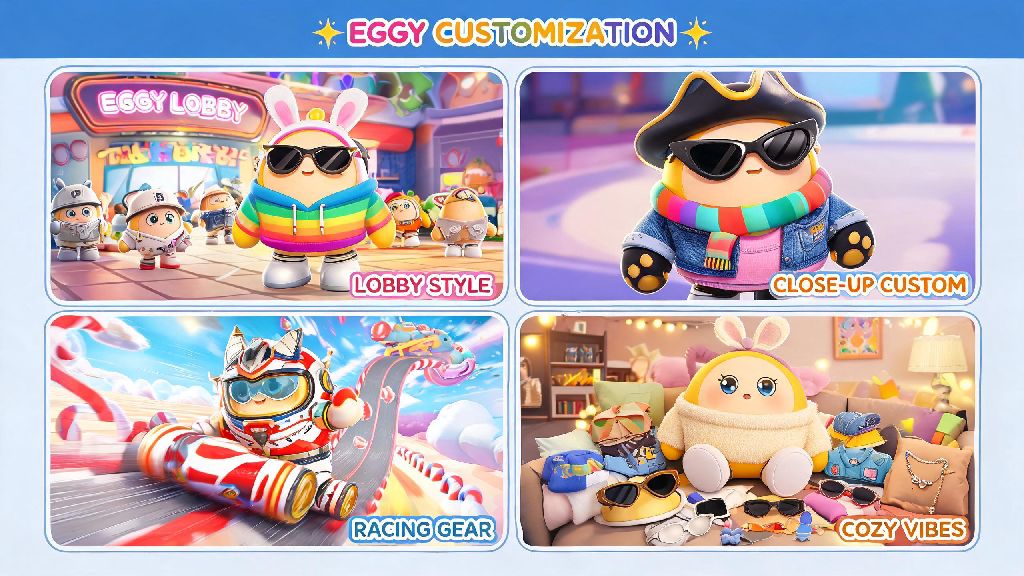
If you’ve ever loaded into an Eggy Party public lobby and struggled to pick your character out of a crowd of identical default eggs, you already know how rewarding it is to have a one-of-a-kind look. Learning how to customize your Eggy doesn’t just make your character easier to spot mid-race—it also lets you show off your personality, whether you prefer silly, edgy, or cozy aesthetics. Most new players don’t realize there are far more customization options than the few free ones you unlock in the first 10 levels, and you don’t have to spend real money to get most of the best pieces. I’ve spent over 100 hours testing different customization combinations and unlocking rare items, so I’m breaking down exactly what works, what’s worth skipping, and how to get the exact look you want without wasting your in-game currency.
How to customize your Eggy: Step-by-Step Basic Setup
First, access the customization menu by tapping the little wardrobe icon on the right side of your main lobby screen. The menu is split into four tabs: base egg, accessories, emotes, and saved designs. Start with the base egg tab first, where you can adjust shell color, pattern, texture, and even your Eggy’s size. Always save your base design first before adding accessories, because if you exit the menu accidentally you’ll lose unsaved changes.
You can also adjust your Eggy’s size from small to large, but keep in mind that larger hitboxes can make it slightly harder to avoid obstacles in competitive game modes. Most pro players stick to medium size for the best balance of visibility and performance, but if you only play casual modes, feel free to pick whatever size you like best. Once you get the hang of how to customize your Eggy, you can start experimenting with more advanced combinations like custom animations and sound effects that unlock at level 15.
Pay attention to the small tag on the corner of every item in your inventory: permanent items have a little infinity symbol, while temporary items have a number showing how many days they’ll stay in your inventory. Don’t waste rare currency on temporary items if you want a consistent look, since they’ll disappear after a week no matter how much you use them.
Best Free Customization Items to Unlock First
You don’t have to spend a dime to get cool, unique customization items for your Eggy. There are dozens of free rewards hidden in different parts of the game that most new players never find. I’ve compiled the easiest ones to unlock first, even if you’re below level 10:
I once wasted 5000 common coins on a bunch of temporary accessories when I first started playing, and I regretted it almost immediately when they expired a week later. Now I only spend coins on permanent items, and I save all my rare currency for limited-edition permanent skins that only drop once per season. Free rare items usually have higher detail than paid common items, so prioritize unlocking those before you spend any currency on shop items.
Pro Tips for Cohesive, Standout Eggy Designs
When you’re learning how to customize your Eggy, it’s easy to get carried away buying every new item that drops in the shop, but holding out for pieces that fit your personal theme will give you a much more unique look long term. The most common mistake new players make is adding too many clashing accessories that distract from their overall design, so start by picking one core theme first: cottage core, cyberpunk, silly meme, retro, whatever fits your style.
Less is almost always more with Eggy customization—most of the most popular designs in the community gallery only use 2 to 3 accessories total, so you don’t need to fill every accessory slot to make a good looking character. For example, my current Eggy design is a 90s retro theme, with a neon tie-dye base shell, a backwards baseball cap, and a portable CD player back bling. I only use three accessories total, and I get more comments on it than I ever did when I tried to pile on every cool item I owned.
Use the custom color picker tool (unlocked at level 10) to match your accessory colors to your base egg shell for a more cohesive look. If you’re below level 10, look for accessories that come in colors that already match your default base egg, so you don’t have to worry about clashing. Don’t forget to test your design in the in-game preview mode that shows you running an obstacle course, too: some accessories look great in the lobby but block your view of obstacles mid-game, which can hurt your performance in competitive matches.
How to Fix Common Customization Issues
Even if you follow all the tips, you’ll probably run into a few common customization bugs or issues at some point. Most of them are easy to fix in just a minute or two, no support ticket required. The most common issue is missing items: if you redeemed a code or won an item and it’s not showing up in your inventory, restart your game first. 90% of the time that fixes the sync issue, and the item will show up immediately after you log back in.
Another common issue is your custom design resetting to default when you log in on a new device. This happens if you don’t sync your save data to your email or social media account before switching devices. Always sync your save data to your email or social media account before you log out of your current device, so you don’t lose all your custom designs. I ran into this issue once when I switched phones, and I lost 3 months worth of custom designs because I didn’t sync my account to my email. Now I sync my save data every time I make a big change to my Eggy design, just to be safe.
If you put an accessory on and it’s floating off your Eggy instead of fitting properly, that’s usually a bug with older items that haven’t been updated for newer base egg sizes. Try switching your base egg size to the default medium size, since most items are calibrated to fit medium eggs best. You can report the bug to the devs through the in-game support menu, and they usually fix these issues within a week or two of getting reports.
At the end of the day, there’s no right or wrong way to customize your Eggy, as long as you love the final look. Don’t feel pressured to copy popular designs from the community gallery, even if they get a lot of likes—your design should feel like you, even if it’s messy or silly. If you’re just starting out, take your time testing different combinations, and don’t waste your hard-earned currency on items you only sort of like. You’ll unlock more and more items as you level up, so you don’t have to make your perfect design on day one. Next time you load into a lobby, you’ll be able to spot your unique Eggy immediately, and other players will even ask where you got your cool accessories.