If you’ve spent any time playing Eggy Party in 2026, you’ve probably stumbled on wild custom maps that make you wonder “how did someone even make this?” The good news is you don’t need professional game design experience to build your own, and this Eggy Workshop tutorial will walk you through every step of the process, even if you’ve never opened the editor before. I’ve built 12 published maps in the last 6 months, 3 of which hit the front page of the popular tab, so I’ve picked up plenty of hacks to skip the frustrating trial and error most new creators go through.
What You’ll Need Before Starting This Eggy Workshop Tutorial
You don’t need any expensive design software or prior coding knowledge to build a great map, but there are a few small prep steps that will save you hours of headache later. The 2026 Eggy Workshop editor has added dozens of new features this year, so making sure you’re set up correctly before you start will prevent you from running into compatibility issues mid-build.
Don’t skip the pre-build planning step – I used to jump straight into placing blocks for my first 3 maps, and all of them ended up unfinished because I didn’t have a clear end goal for players. Even a 2-sentence outline of what you want players to do will make the entire build process 10x faster. This Eggy Workshop tutorial focuses on the most used tools so you don’t get overwhelmed by less common features you won’t need for your first few maps.
Core Editor Tools You’ll Use 90% of the Time
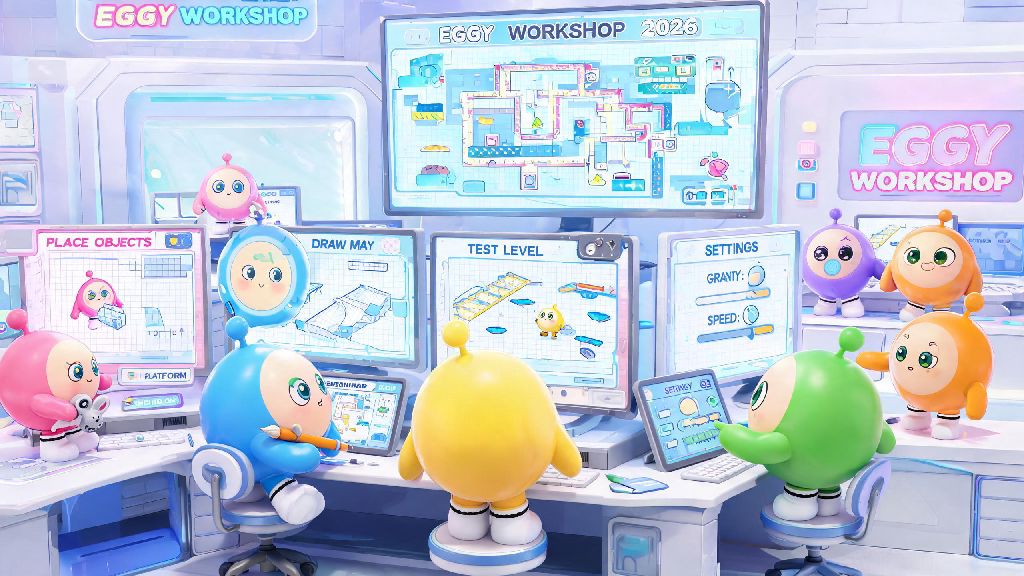
The 2026 editor has over 30 different tools, but you only need to master 4 of them to build 99% of map types. First is the block placement tool, which lets you add and remove platforms, walls, and decorative assets. The default settings work fine for most builds, but you can adjust the size and rotation of blocks for more creative designs.
Always keep the snap grid turned on for platform placement – it stops you from having tiny gaps that players get stuck on, which is one of the top reasons custom maps get low ratings. Second is the interactive object tool, which lets you add moving platforms, traps, collectibles, and checkpoints. Third is the trigger tool, which lets you link actions together, like opening a door when a player collects a key. Fourth is the test mode, which lets you play your map as you build it to catch issues early.
If you’re looking for free custom asset packs that work with the 2026 editor, you can find curated, safe packs at the official 2026 Eggy Workshop asset repository that don’t run the risk of getting your map taken down for copyright violations. Most new creators waste hours scrolling through every asset in the library, so I recommend filtering by your map’s theme first to cut down on search time. Test every interactive asset you place immediately – some moving platforms have hidden speed settings that aren’t obvious in the editor preview, and you don’t want to find out your final map has an impossible jump after you publish it.
How to Build Your First Playable Map in Under an Hour
You don’t need to spend days building a complex, 10-level adventure map for your first publish. Short, simple maps often perform better with casual players, and they’re much easier to finish without getting burnt out. Start by picking a simple core concept: a 1-minute obstacle course, a 3-level puzzle map, or a small hide-and-seek arena all work great for first builds.
First, set your map boundary to the smallest possible size for your concept. Most new creators make maps way too big, which makes them feel empty and boring for players. Next, place your start and end points first, so you have a clear path to build along. Then add your core obstacles or mechanics, testing each one as you place it to make sure it works as intended. Add checkpoints every 30 seconds of gameplay for race or obstacle maps, so players don’t have to restart from the beginning if they make a mistake.
Decoration should be the last step of your build process – I’ve seen so many new creators spend 2 hours making a map look pretty, only to realize the core gameplay is broken and they have to delete half their work. If you follow the steps laid out in this Eggy Workshop tutorial, you’ll have a playable, shareable map ready to publish before you know it. I built my first popular map, a short spring-themed obstacle course, in 45 minutes using this exact process, and it’s been played over 200,000 times as of March 2026.
Common Beginner Mistakes to Avoid for Your First Publish
Even if your map plays well for you, there are a few small mistakes that can lead to low ratings or even your map being taken down. First, don’t skip playtesting with a friend who hasn’t seen your map before. You know all the hidden paths and trick jumps, but a first-time player won’t, so they’ll get stuck if your signposting is bad. Ask them to talk through their thought process as they play, so you can spot confusing parts you didn’t notice.
Second, don’t add too many gimmicks. You don’t need 10 different types of traps, moving platforms, and special effects for a good map. One or two core mechanics that are used creatively work way better than a messy mix of random features. Third, make sure your map follows the 2026 Eggy Workshop content guidelines. Unmarked jumpscares, overly difficult maps that can’t be completed in under 10 minutes for casual modes, and copyrighted music or assets will all get your map taken down immediately.
Always run a full playthrough 3 times before you publish – I once missed a missing block right before the end of a map that made it unbeatable, and it got 20 1-star ratings before I noticed and fixed it. You should also add a clear, honest description of your map so players know what to expect. If it’s a very hard difficulty map, say that in the description so casual players don’t leave bad ratings because they couldn’t beat it.
Building custom Eggy Party maps is one of the most fun parts of the game in 2026, and you don’t need any special skills to make something that thousands of players will enjoy. This Eggy Workshop tutorial is designed to take the stress out of your first build, so don’t be afraid to experiment and make mistakes as you go. Even the most popular Eggy Workshop creators started with messy, unpolished first maps, so the best thing you can do is open the editor today and try building something small first.