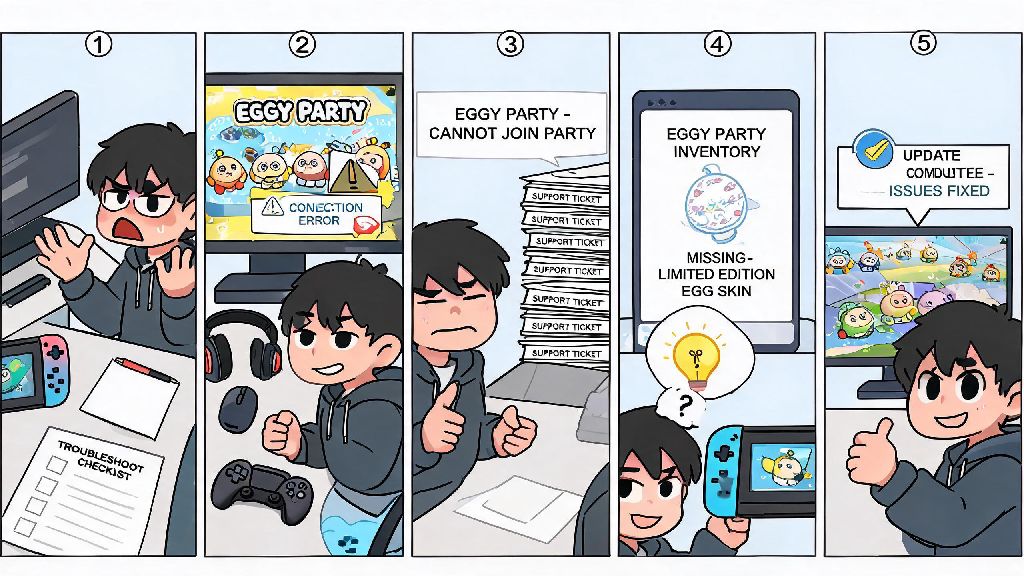
If you’ve ever spent 20 minutes trying to join a friend’s Eggy Party lobby only to hit a connection error, or logged in to find your limited-edition skin vanished from your inventory, you know how frustrating it is when your casual gaming session gets derailed by a technical glitch. Good Eggy Party support doesn’t just fix those problems fast—it also helps you get the most out of every match, custom map build, and event reward you earn. Most players don’t know there are multiple support channels available to them, far beyond the generic in-game feedback form that often takes days to get a response.
Common Eggy Party Issues You Can Fix Without Submitting a Ticket
Not every problem needs a formal support request, and learning to troubleshoot small issues on your own can save you hours of waiting around for a reply. Most of the most frequent player complaints have simple, proven fixes that take less than two minutes to try. Before you fill out a support form, run through the quick checks below to see if you can resolve the problem yourself.
If none of these fixes work for your specific issue, that’s when it’s time to reach out to official channels. Trying these steps first also lets you tell support agents what you’ve already tested, which cuts down on the back and forth when they respond to your request.
How to Access Official Eggy Party Support Fast
Official Eggy Party support is available through three main channels, each with its own average response time and use case. The fastest channel for urgent issues like account bans or missing high-value purchases is the in-app live chat, which is staffed 12 hours a day, 7 days a week. You can access it by tapping the settings icon in the top right corner of the main menu, then selecting "help & feedback" and tapping the live chat bubble in the corner of the help page.
For less urgent issues like custom map moderation requests or feedback on game features, the official support email is the better option. You’ll usually get a response within 24 to 48 hours, and you can attach multiple screenshots or screen recordings to your message to show the exact issue you’re facing. The official Eggy Party Discord server also has a dedicated support forum, where volunteer community moderators can answer common questions even faster than official support agents for small, common issues.
One thing to avoid is reaching out to support through social media DMs. The social media team doesn’t have access to player account data, so they can’t help with account-specific issues, and your message will just get forwarded to the regular support queue anyway, adding extra time to your wait.
What to Include in Your Support Request to Get a Faster Resolution
The biggest mistake players make when submitting a support ticket is only writing a vague description of their problem, like "my game isn’t working" with no extra details. Support agents handle hundreds of tickets a day, so the more specific information you give them upfront, the faster they can diagnose and fix your issue without asking for extra details.
At minimum, you should include your unique player ID (you can find this in the settings menu under "account info"), the exact time the issue occurred, what you were doing in the game right before the issue popped up, and what troubleshooting steps you’ve already tried on your own. You should also attach a full, unedited screenshot of your error message if you get one, as error codes often have specific fixes that agents can reference immediately.
If you submit a ticket outside of peak support hours, you might wait 12 to 24 hours for a first response. Don’t waste that time refreshing your inbox over and over—many players take short breaks with low-stakes casual games to pass the time without getting frustrated. Casual card game fans often play 334 Rummy between checking for support updates, as its fast round times fit perfectly into small gaps without pulling you away from your queue for too long.
Never submit multiple tickets for the same issue, either. Duplicate tickets get flagged by the support system and pushed to the back of the queue, so you’ll end up waiting longer than if you’d just sent one clear, detailed request the first time.
Lesser-Known Support Resources for Eggy Party Players
Official support channels aren’t the only place to get help with Eggy Party issues. The game has a huge, active community of long-time players who have already encountered and solved almost every common issue you might run into. For example, the Eggy Party Reddit community has a pinned weekly help thread where players share fixes for new bugs that pop up after game updates, often days before official support acknowledges the issue.
If you’re having issues with custom maps you’ve built in the Eggy Workshop, there’s a dedicated community forum for map creators where experienced builders can help you fix glitches with trigger mechanics, asset loading, or map moderation rejections. Many of the top map creators in the community also post tutorials for common build issues that official support doesn’t cover, since they don’t specialize in custom map creation tools.
For players who want to avoid issues in the first place, the official Eggy Party help center has a regularly updated FAQ section that covers new event rules, account safety tips, and known bugs that the development team is already working to fix. Checking the FAQ before you submit a ticket can often give you an immediate answer, especially if the issue you’re facing is a widespread bug from a recent update.
You don’t have to let small technical issues ruin your fun playing Eggy Party. Knowing how to troubleshoot common problems on your own, submit clear, detailed support requests, and use community resources can help you get back to playing with your friends in no time. Whether you’re dealing with a missing skin, a login error, or a glitch in your custom map, good Eggy Party support is easier to access than most players realize, as long as you know where to look and what information to provide.